White-label platform · for universities

A student needs one conversation. Make it take minutes.

One branded platform for peer and faculty mentoring, live teaching, career fairs, student communities and courses. Under your university's name, with one dashboard for the Dean's office.

Built with the people who answer to the board
  • Dean of Student Affairs
  • Career Centre
  • Alumni Relations
  • e-Learning
connect.crestmoor.edu/mentoring
CUCrestmoor University 01A student asks. A mentor accepts. The call exists.
The problem

Today, one question takes a week.

The help exists. A professor, a teaching assistant, a graduate who sat the same exam last year. The route to them is the problem.

TodayFive days
  1. MonEmails a professor
  2. TueChecks the LMS for hours
  3. WedWalks to the office
  4. ThuThe door is closed
  5. FriEmails again. Waits.
On your university platformOne booking
Data structures exam prep · 45 min · free for studentsA Year 4 peer mentor publishes two evening slots. The student picks one and meets on video, inside your platform. Booked in minutes
No self-service booking

Students can't see when faculty or advisors are free.

No structured channel

Mentoring and career advice live in private inboxes.

No record for the university

Nobody can see who was helped, and who slipped through.

The stack nobody chose

Six logins. Six data silos.

And not one view for leadership.

  • VideoZoom or TeamsA generic link with another company's name on it, and attendance nobody keeps.
  • BookingCalendly or emailOffice hours on a door, advising by reply-all.
  • CommunitiesWhatsApp groupsOn someone's phone, gone when that cohort graduates.
  • CoursesCanvas or MoodleFiles and quizzes, with no live layer and no link to careers.
  • TrackingSpreadsheetsCompiled by hand the week before the board meets.
  • Everything elseEmail and formsRegistrations in one place, follow-ups in another.
What your board asks

Four questions. Answer them with data.

The middle column is the honest answer most campuses give today. The last column is where the answer comes from once mentoring, events and teaching run in one place.

The questionTodayOn your university platform
How many students met a mentor this term?"It lives in three systems."Booking requests and the sessions that took place.
Which faculty give the most office hours?"Roughly?"Top hosts, and each host's show-up rate.
Are alumni giving time back to students?"Nobody tracks that."Alumni mentoring services, and how often students book them.
Did last term's networking event work?"The room felt full."Every connection made in the rounds, plus attendee feedback on each session.
Your university, not ours

Students see your crest. Not a vendor's.

Your name, colours and web address on every screen students and alumni touch, in Arabic or English.

CUCrestmoor Universityconnect.crestmoor.edu
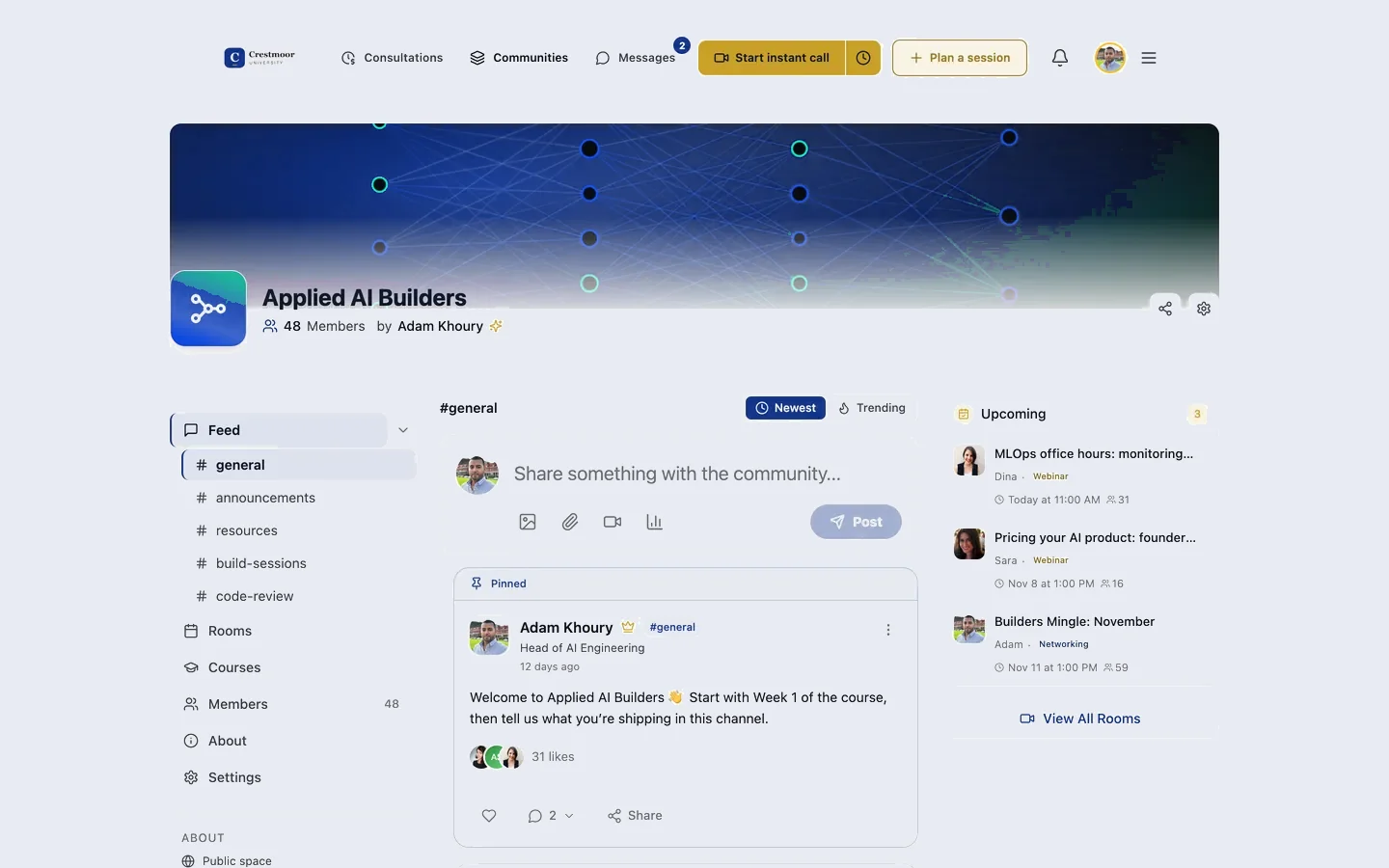
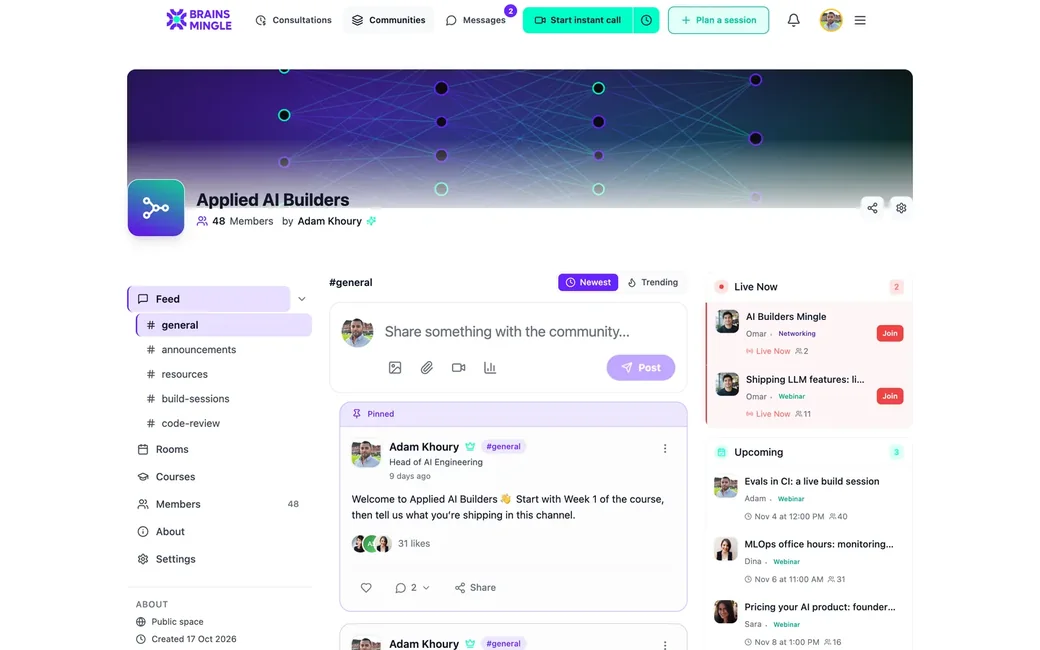
A department community running on BrainsMingle under a university's own brand
Community
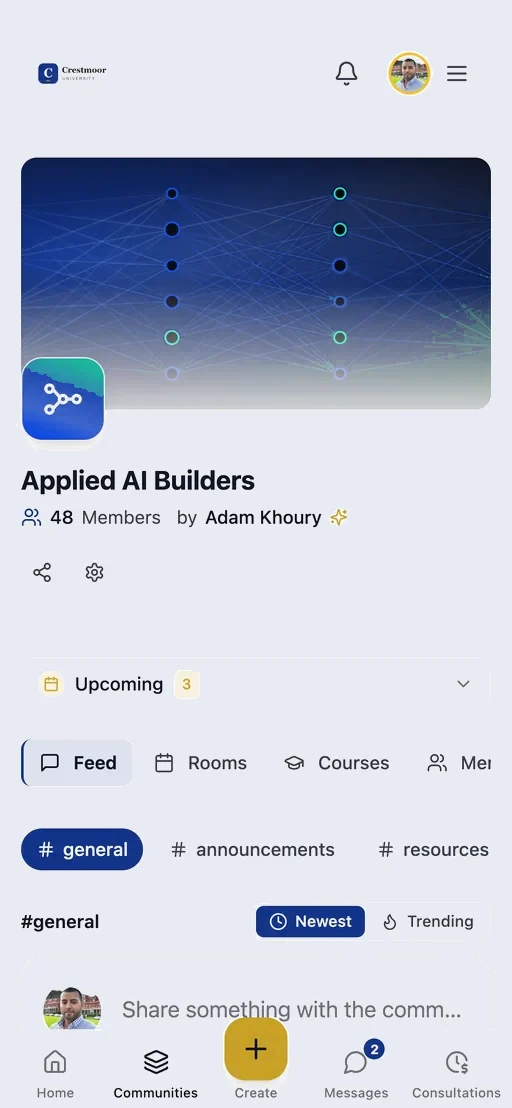
The same community on a phone, in your brand
Phone
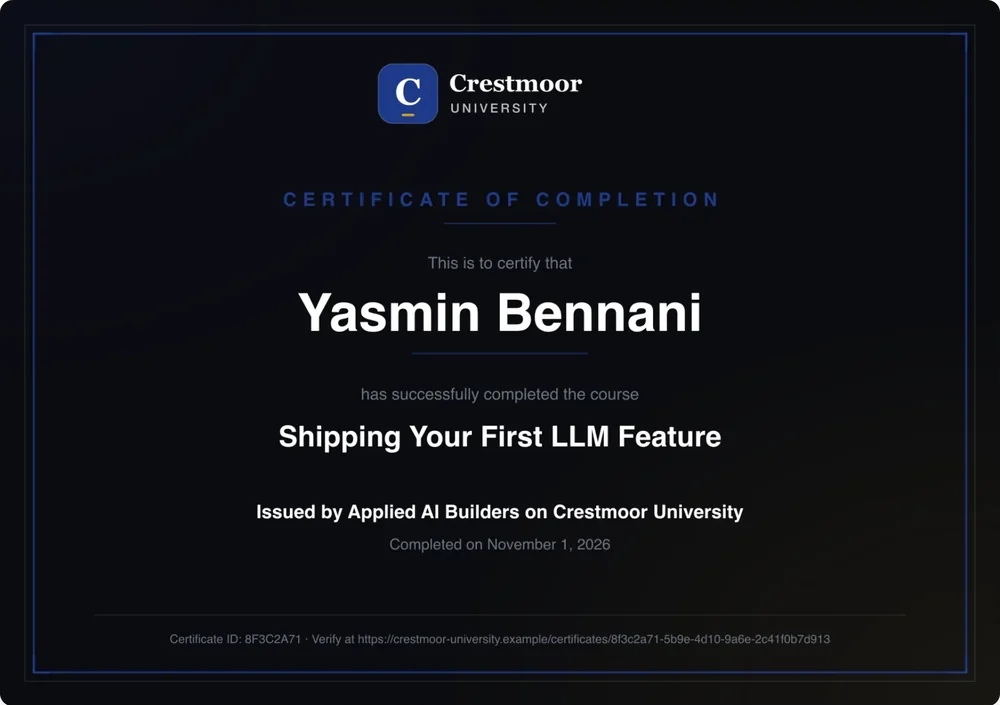
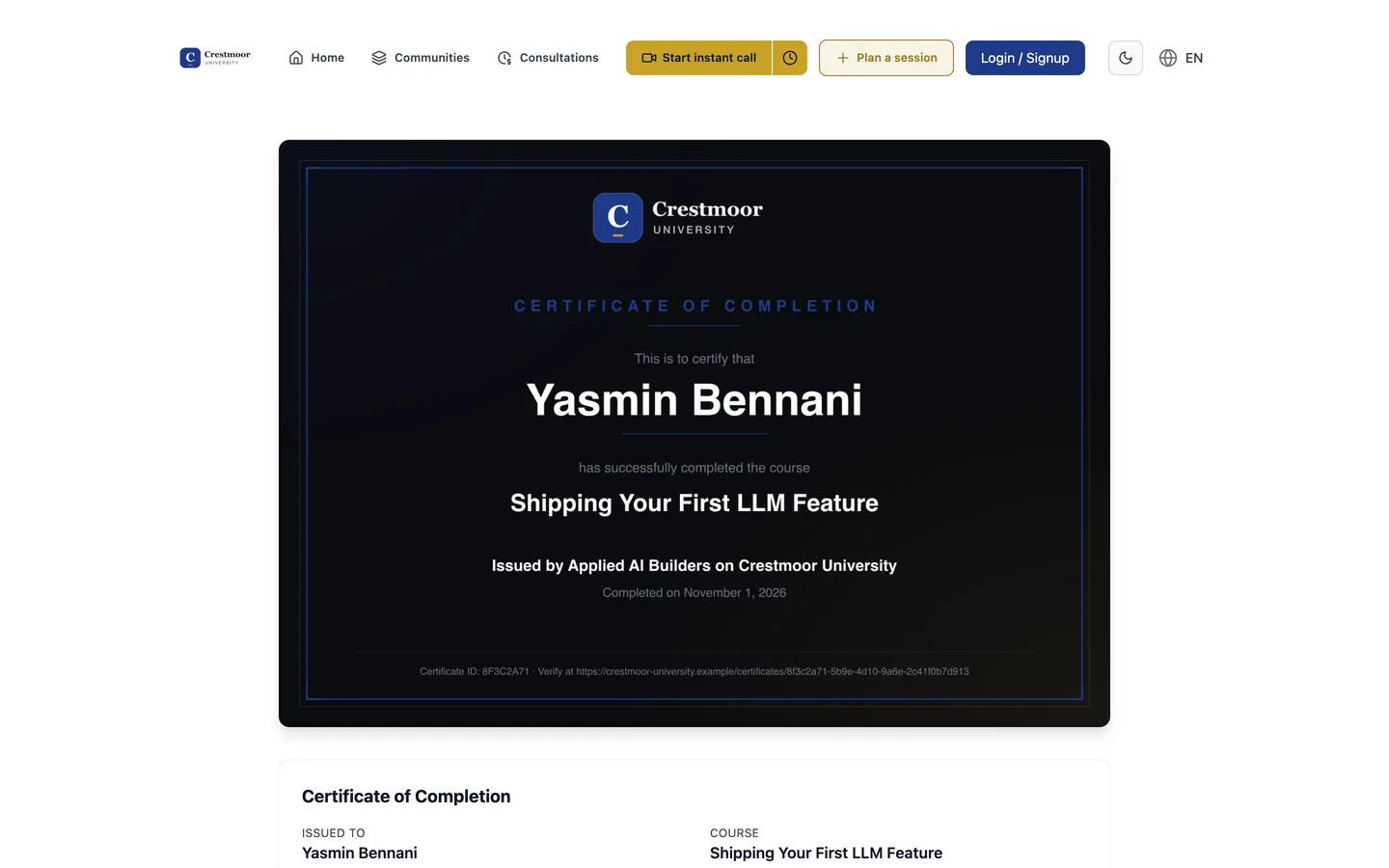
A certificate carrying your logo and colours
Certificate
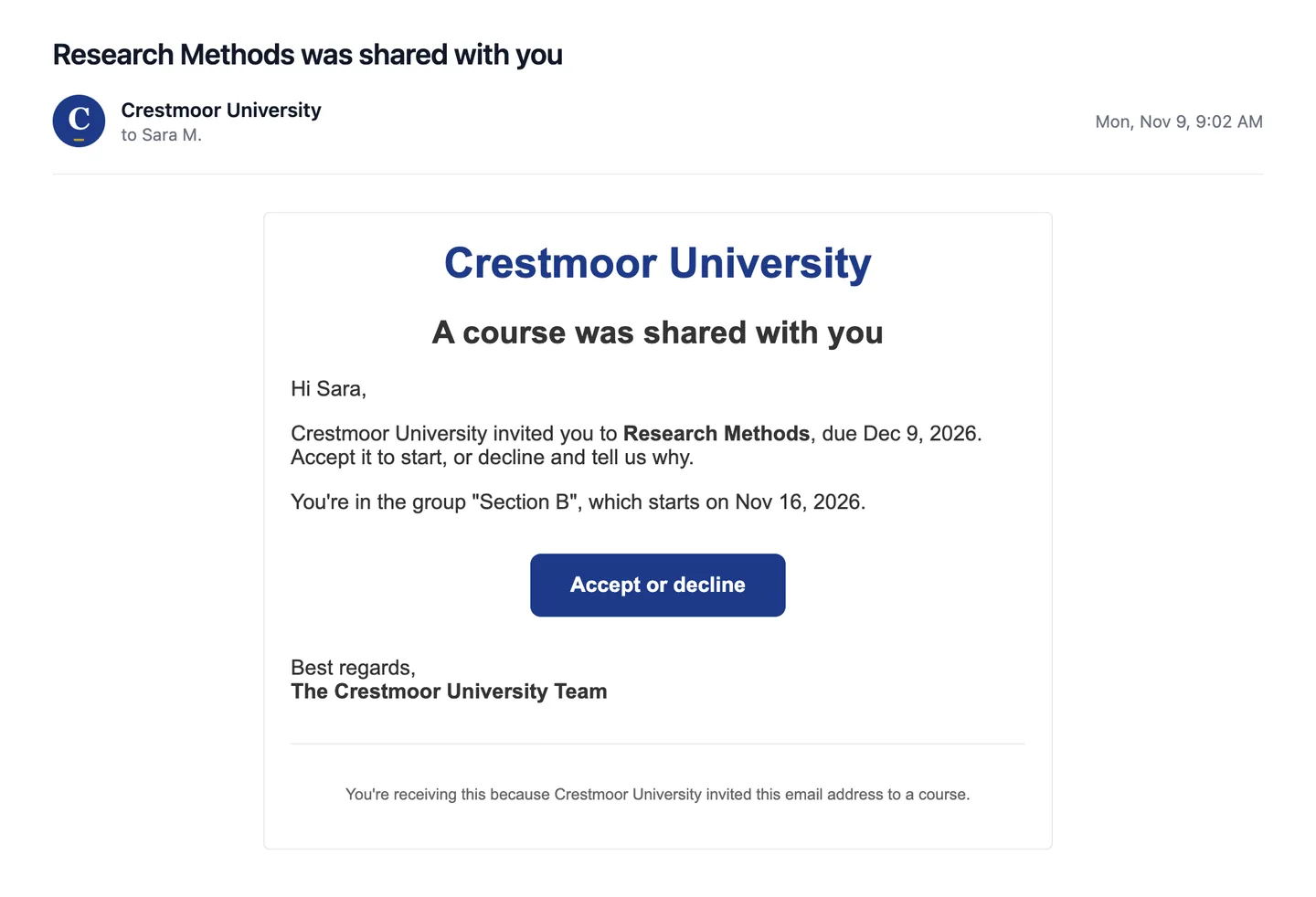
An invitation email sent in your name, with your logo and a button in your colour
Email
Same platform. Your university's own database.Closed campus mode: only signed-in members see anything.

Your crest goes where students go.

It's on the department community, the guest lecture, the course page, the certificate a graduate shares, and the invite in their inbox.

A community home: banner, channels, a pinned post and the Live Now and Upcoming roomsCUDepartment
Department communityChannels, events and mentors per faculty.
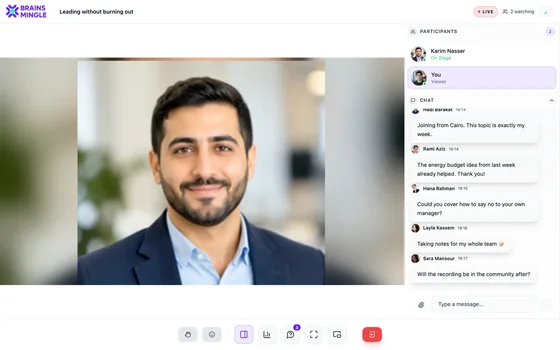
A live session seen by the audience: the speaker on stage, the participants and the chatCULive
Guest lectureWebinar stage, moderated chat, replay.
CUCertificate of completionLina DarwishCareer readiness: CVs, interviews and your first offer
Crestmoor UniversityVerify online
CertificateYour logo and signature, a public verify link.
Inbox
CU
Alumni Office[email protected]

Mentor a final-year student this termOffer one 30-minute slot a month. Students book it.

Offer a slot
Alumni inviteSent from your name and address.
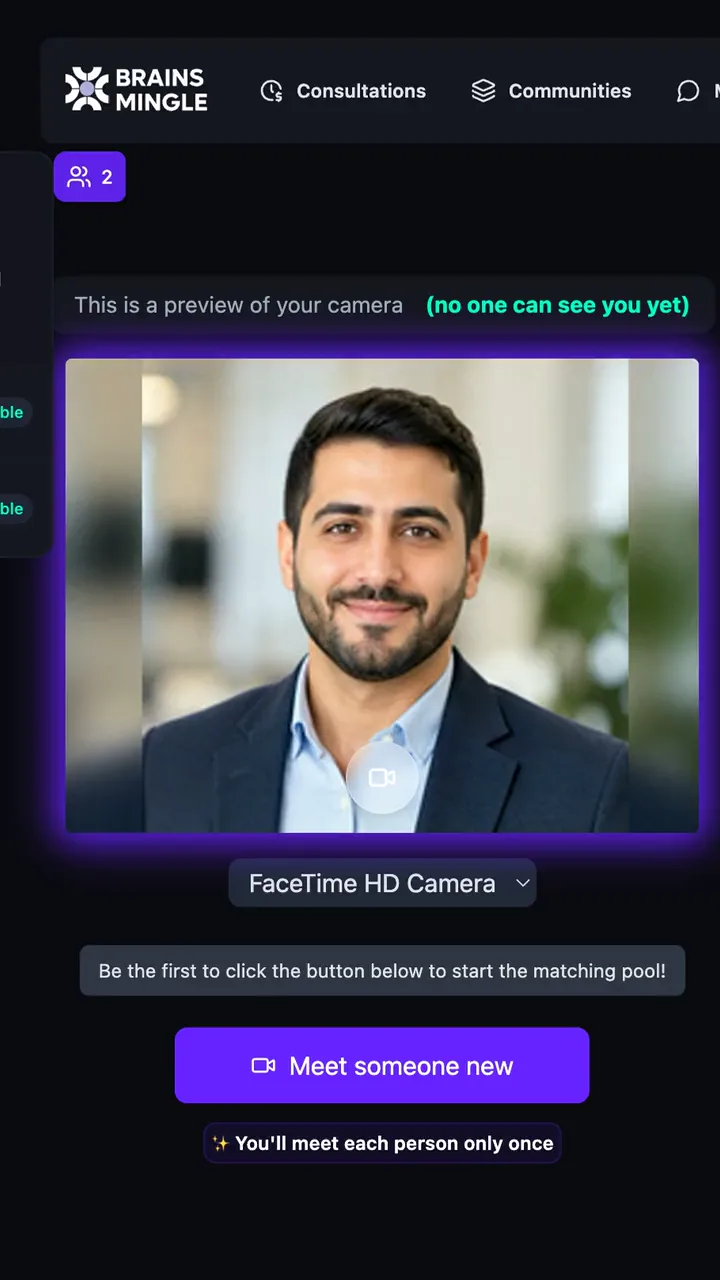
The speed networking lobby on a phone: camera preview, connections count and the Meet someone new button
On a phoneIn the browser.

The colour and initials follow the name you type above.

Three outcomes

What changes in the first term.

Outcome 01 · Student Affairs
Every student can reach the people who make a university worth it.

A professor's office hour, a mentor, a senior student who passed the same course, an alumna working where they want to work. Today most students never find them. On your platform each one publishes open slots, and any student can book a video call in a few taps.

  1. ProfessorsOffice hours online, booked ahead instead of queued outside a door.
  2. Mentors and advisorsWeekly availability, with slots they can block.
  3. Senior studentsHelp sessions on the courses they've already passed.
  4. AlumniA career call with someone who has the job the student wants.
connect.crestmoor.edu/consultations
Outcome 02 · Career Centre
Career fairs that don't need a hall.

Speed networking puts students and alumni, mentors or recruiters into timed one-to-one video rounds. One coordinator runs it from one screen.

240 Example · arithmetic, not a result

40 students + 40 alumni, 6 rounds of 7 minutes is 240 one-to-one conversations in under an hour.

  • Role matching: students always meet alumni or recruiters, never each other
  • Nobody meets the same person twice, and there's an icebreaker on screen
  • Everyone gets a summary of who they met
connect.crestmoor.edu/speed-networking/career-week
Outcome 03 · Dean's office
Answer the board: who was helped, and which faculty showed up.

Mentoring, events and courses report into one admin view. Registrations export to Excel for accreditation files.

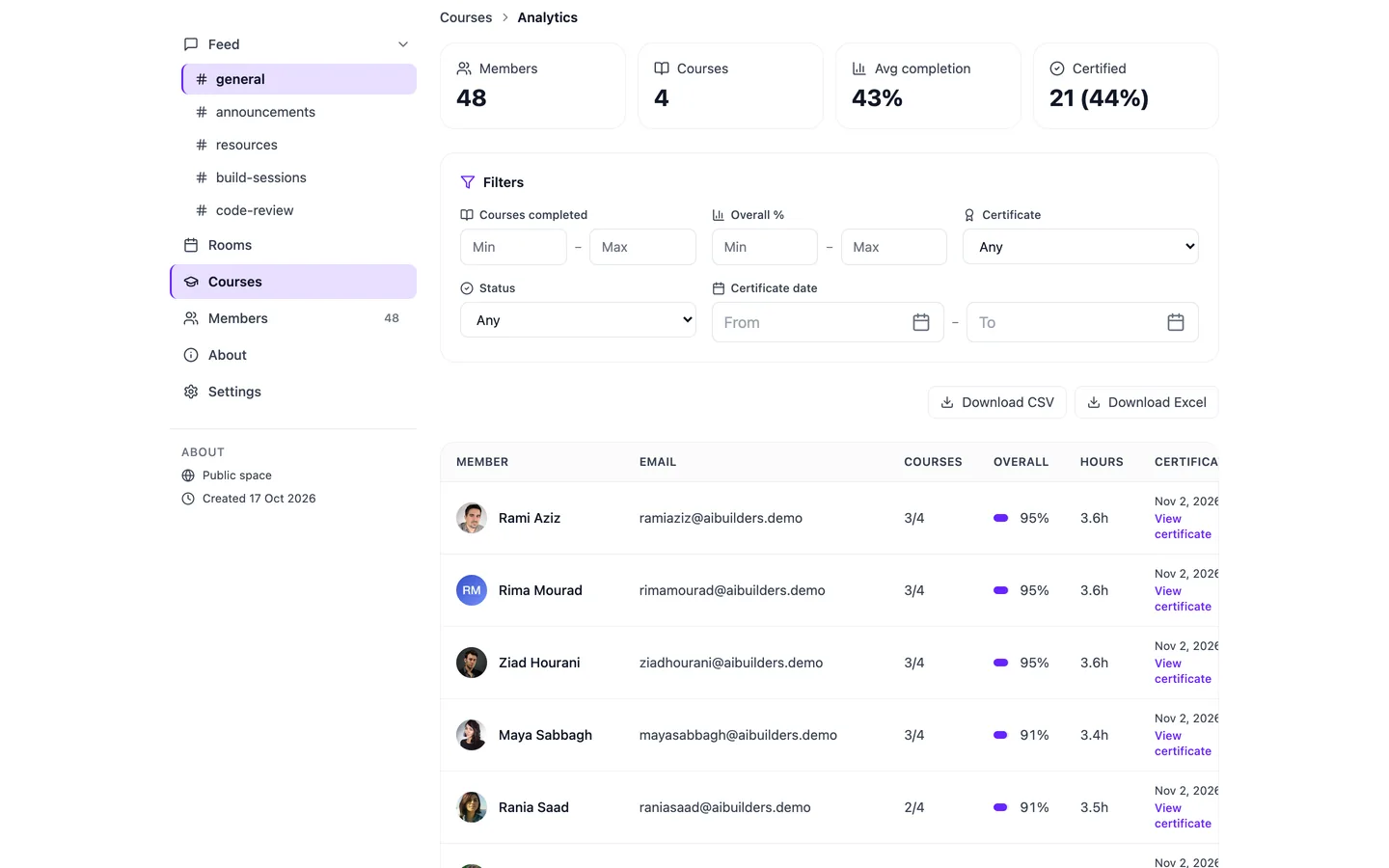
  1. Members and courses at a glanceCompletion and certificates per community.
  2. Filter, then exportCSV or Excel, ready for the accreditation file.
  3. Also trackedSession minutes, daily engagement, recording views and call quality.
connect.crestmoor.edu/spaces/engineering/analytics
Learning analytics for a community: 48 members, 4 courses, 43% average completion, 21 certified, filters and Download CSV and Excel buttons
Alumni program

An alumni program graduates can prove, and use on day one.

Graduating should open a door, not close a student account. Give graduates a membership they can show to an employer and use the same afternoon.

  1. Prove itEvery certificate has its own public page that anyone can verify, and graduates can add it to LinkedIn in one click.
  2. Use it todayThe alumni community opens on graduation day: alumni mentors to book, alumni events and speed-networking rounds with people a few years ahead.
  3. Keep it exclusiveOnly verified graduates get in. Applicants answer your form, and your team approves each one.
  4. Give backAlumni publish their own office hours, so this year's students can book the people who sat in the same seats.
connect.crestmoor.edu/certificates
A Crestmoor University certificate with the graduate's name and a public verification link
Programs and learning

Career week on one page. Courses beside their teachers.

Programs

Orientation, career week, a lecture series.

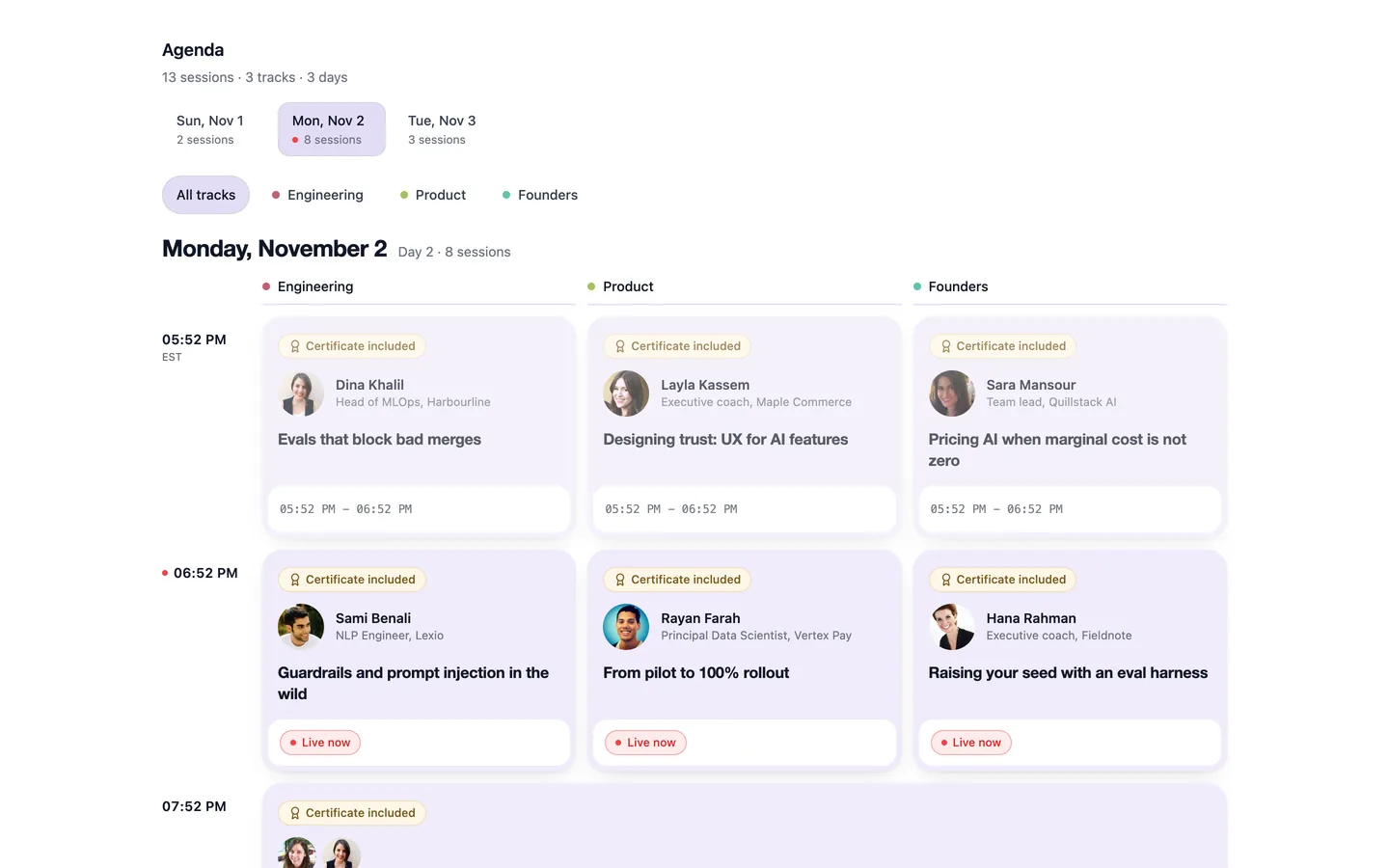
One public page with the agenda, the speakers and a single registration. Online attendance is counted in the room; in-person sessions check in with a code. Certificates go out per session, per track or for the whole program.

  • Seats and a waitlist, invitations by email
  • A live strip across the app shows what's on tonight
  • Recordings to watch afterwards, and a rating for each session
A program agenda for Monday, November 2: Engineering, Product and Founders tracks, a speaker on every session, and Certificate included badges
Courses and LMS

Recorded, live and certified, in one place.

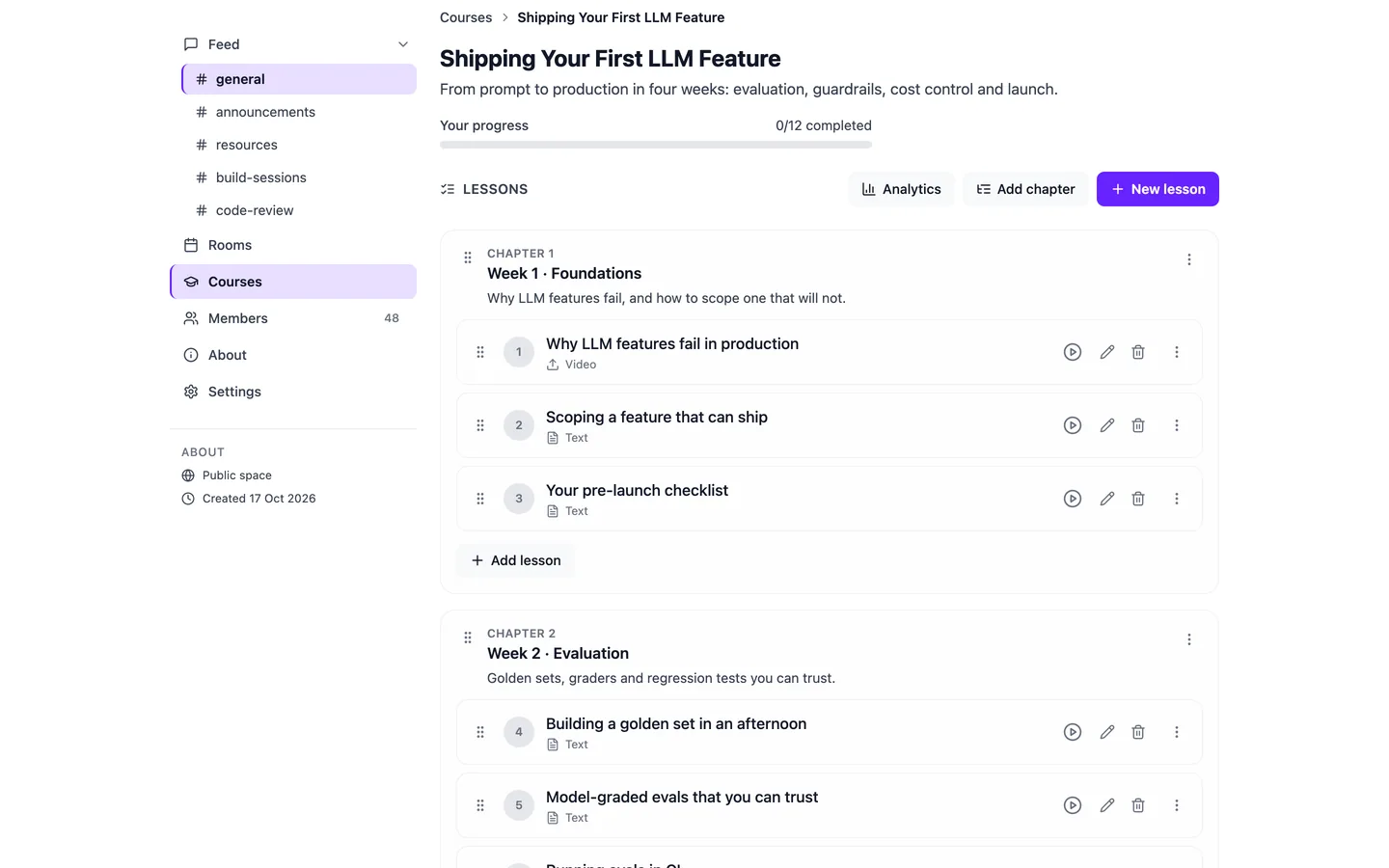
Courses live inside each faculty's community, next to its live sessions, discussions and mentors. Your student information system keeps the records, as it does today.

  • Video and text lessons, chapters in order, progress per student
  • Chapter quizzes, a final exam with attempts, an evaluation form
  • Course groups with start and due dates for a class or cohort
A course curriculum with chapters and ordered lessons, and buttons to add a chapter or lesson
Integrations

It sits beside what you already run.

Nothing to migrate on day one. Your student records stay where they are, and your current LMS can stay too.

Stays as it isYour systems
  • Student information systemKeeps student records, as today.
  • Your current LMSReplace it, or run side by side.
  • Your websiteOne-click sign-in into BrainsMingle from your own site (partner SSO).
One login, one brandYour university platform
  • Mentoring, live teaching, communities, career rounds, programs and courses
  • Sign inGoogle, LinkedIn, or email and password
  • Six languagesEnglish, Arabic, Urdu, Turkish, Spanish, French
Data goes where you need itOut to you
  • Public REST APICreate and manage sessions: /api/pub/v1
  • WebhooksEvents sent to your systems as they happen
  • Exports and analyticsCSV and Excel; your own Google Analytics 4
How rollout works

Start with one faculty. We set it up with you.

Not sign-up-and-go. Our team configures your platform with yours, and the launch date is agreed with you up front.

  1. Scope

    Pick the first use case: mentoring, a career fair, courses or alumni.

    Map your faculties, roles and languages.Name an owner and a first cohort.
  2. Configure

    Your name, logo, colours, domain or subdomain, and the modules you switch on.

    Brand, configure and seed the communities.Invite your first mentors and faculty.
  3. Go live

    The first sessions, the first bookings, the first round of career networking.

    Run the first event beside your team.Tell students where to find it.
  4. Grow

    Add faculties and modules once the first one works.

    Read the numbers with you.Decide what to switch on next.
Runs beside your LMS

Nothing to migrate on day one.

Closed campus mode

Every page visible only to signed-in members.

Your own database

Separate from every other institution, and exportable.

Published pricing

Indicative per-user pricing, below. No surprises on the call.

Security and data

Your brand. Your data. Our engine.

Student data stays the university's. We never sell or share it.

  • Your name and domainYour logo, colours and web address. Students see your university.
  • Your own databaseEach institution gets a separate database, never mixed with anyone else's.
  • Private messages encrypted at restDirect messages are stored encrypted (AES-256-GCM).
  • Closed campus modeMake every page visible only to signed-in members.
  • Modules on or offStart with what you need. Add more without a rebuild.
  • Six languagesFull right-to-left layout for Arabic and Urdu.
Investment

Priced per user, shaped to your campus.

The price per user falls as your campus grows, and tiers follow the modules you switch on: LMS, mentoring, networking, careers and more. Final pricing is agreed with each university in a written proposal.

Large universities, more than 15,000 users ~$10per user / year Smaller campuses pay a higher price per user. Your proposal shows the exact figure. Indicative pricing in USD · final terms in your proposal
Questions

What the Dean's office asks first.

Something else? Ask us directly

We already have Moodle or Blackboard. Why add this?
Keep it. Your university platform is the live, mentoring and career layer your LMS doesn't have: bookable office hours, career fairs on video, alumni communities and guest lectures. If you'd rather consolidate, its courses, quizzes, exams and certificates can replace the LMS later. Your choice, on your schedule.
Can we keep it closed to our own students and staff?
Yes. Closed campus mode makes every page visible only to signed-in members. Communities can also require approval to join.
Can we limit sign-up to our university email addresses?
We're confirming email-domain restriction for campus deployments. Ask us on the call and we'll show you exactly what's available for your setup.
Does it work in Arabic?
Yes. Arabic is a first-class language with a full right-to-left layout, alongside English, Urdu, Turkish, Spanish and French. Students pick their language; you set the default.
Who owns the data?
The university. Each institution runs on its own database, data is never sold or shared, and registrations and analytics export to CSV or Excel whenever you need them.
How long does launch take?
It depends on how many faculties and modules you start with. We agree the timeline with you up front, during scoping, and our team does the configuration.

Next step

Every university promises to support its students. Make yours provable.

A 30-minute session to plan your university platform launch, with a demo set up for your first use case.

We'll ask three things
  1. How many students?So we can shape the pricing and the rollout.
  2. Your first use caseMentoring, a career fair, courses or alumni.
  3. Your current LMSMoodle, Canvas, Blackboard, another, or none.

We reply within two working days with a time and a demo tenant set up for your use case.