

The ticket, the room, the replay. One link.
Publish the page, sell the tickets, run it live on video, pair attendees one-to-one, and keep them for the next one.
In the order your attendee sees them.
Every new link loses attendees.
Invite 24 people to one event. Watch them move from tool to tool.
The usual wayFour tools per eventa ticket site, a form, a webinar link, an email list
New linkEach red gate is a new link to open, and often a new sign-up. Some people stop at every gate.
- Buy a ticket
- Fill the form
- Join the call
- Get the replay
The BrainsMingle wayOne linkthe same account from the ticket to the replay
- Buy a ticket
- Fill the form
- Join the call
- Get the replay
24 invited people walk through four steps. The usual way, a new link at each step loses a few people at every gate, and 17 reach the replay. On one link, all 24 do.
A virtual event platform, from registration to replay.
The person who buys the ticket is the person who joins, gets matched and watches the replay. No new link at any step.
-
Weeks before
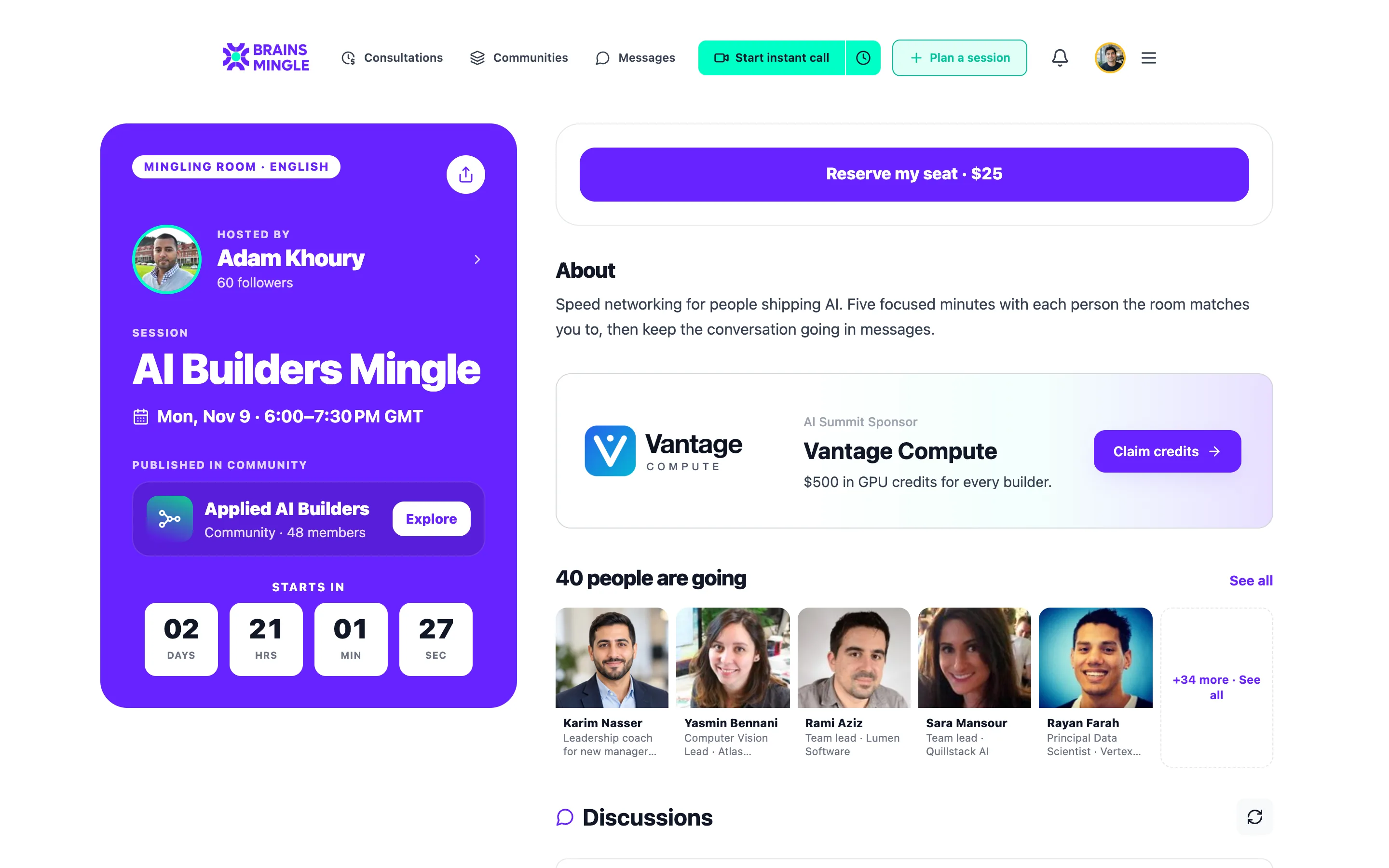
Publish and fill it.
An event page with a countdown, a registration form, a waitlist and approvals. Reminders and calendar invites go out on their own.
-
On the night
Run it live.
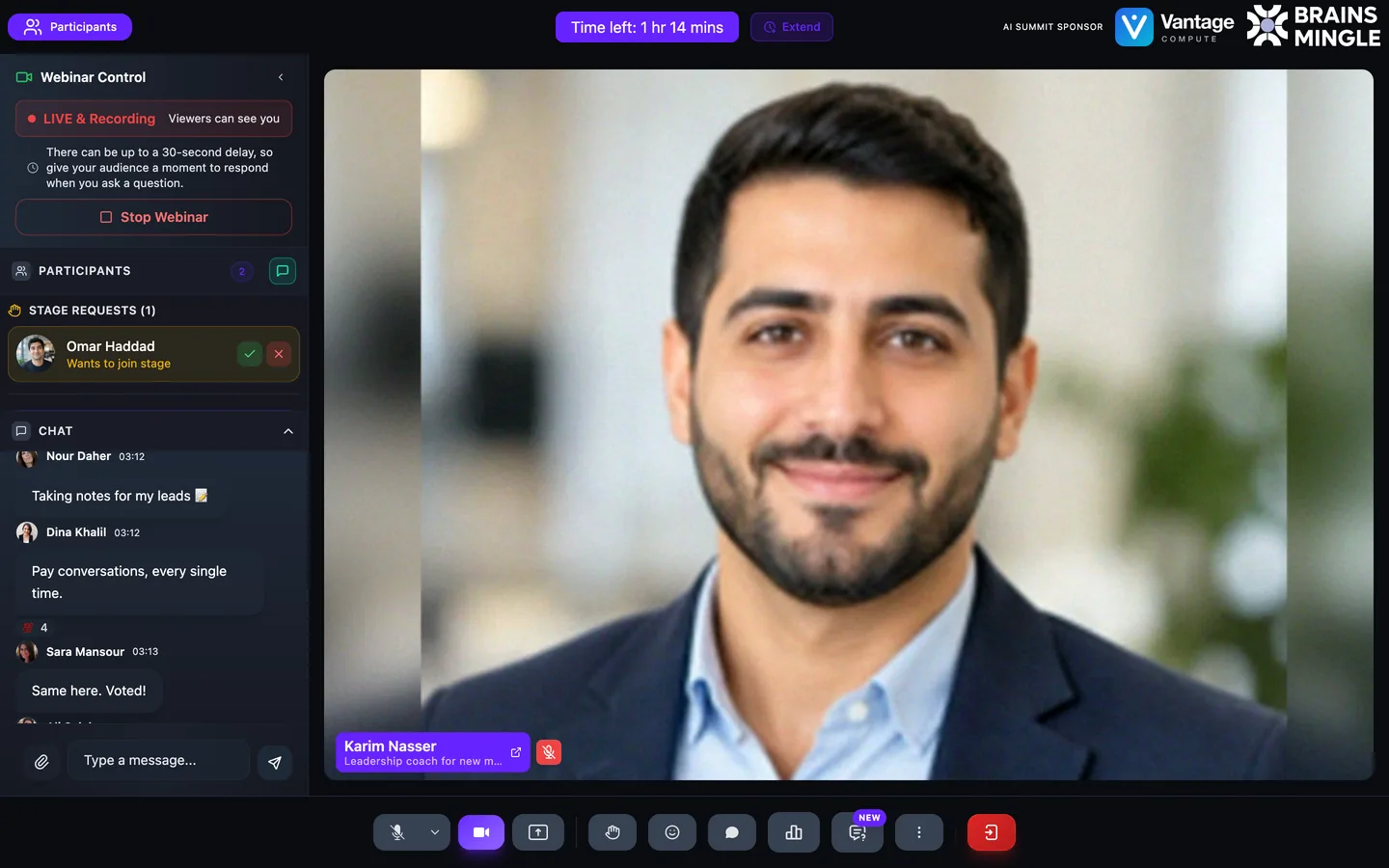
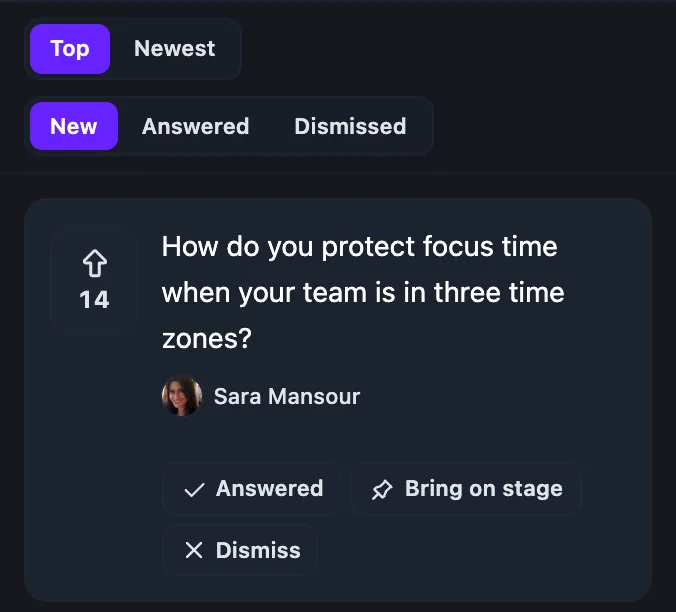
A webinar stage and audience, polls, live Q&A, raised hands and co-hosts, with no external link.
-
After the talk
Pair the room.
Open a speed networking room and attendees meet one-to-one on video, a new person every round.
-
The week after
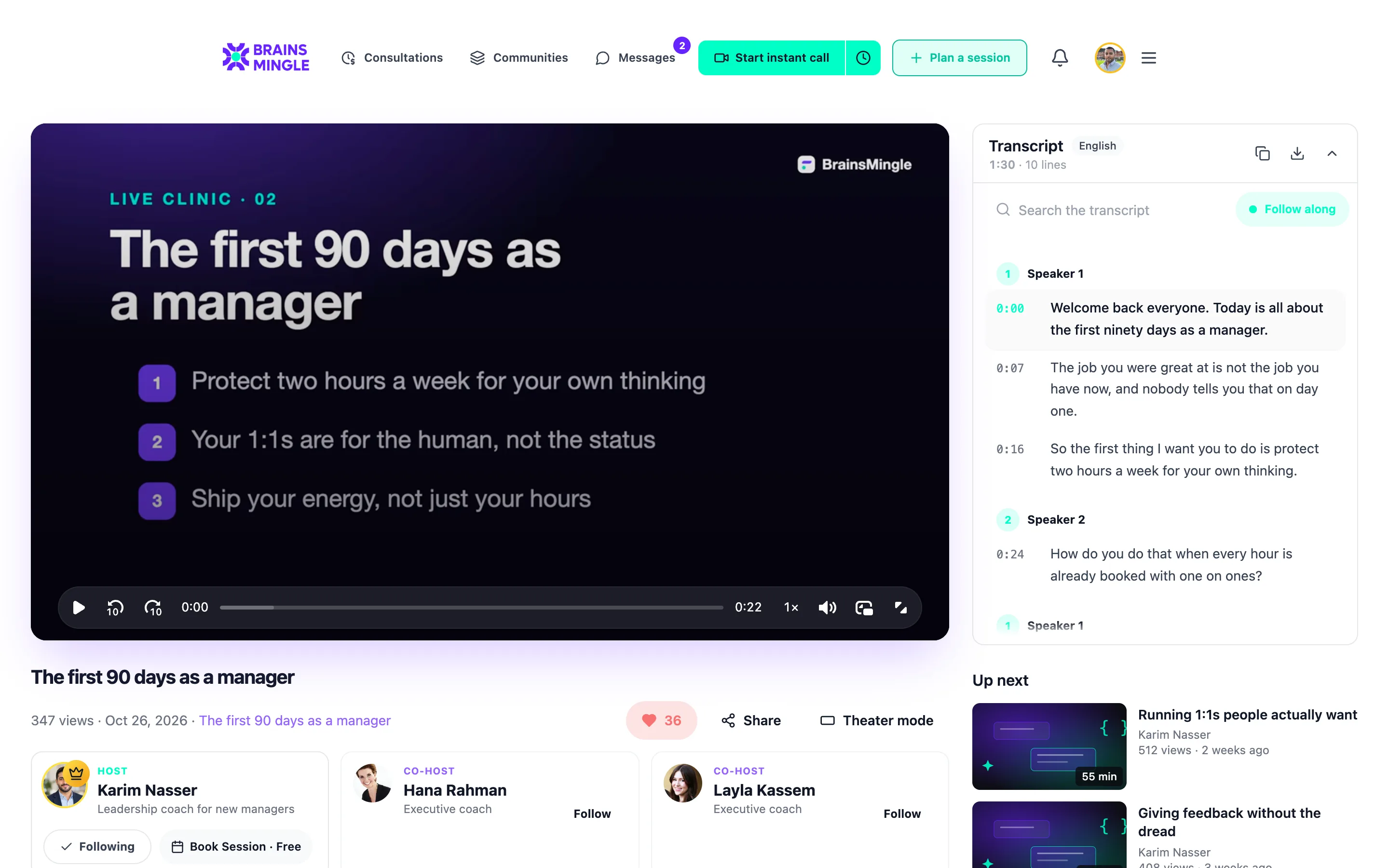
Keep the replay.
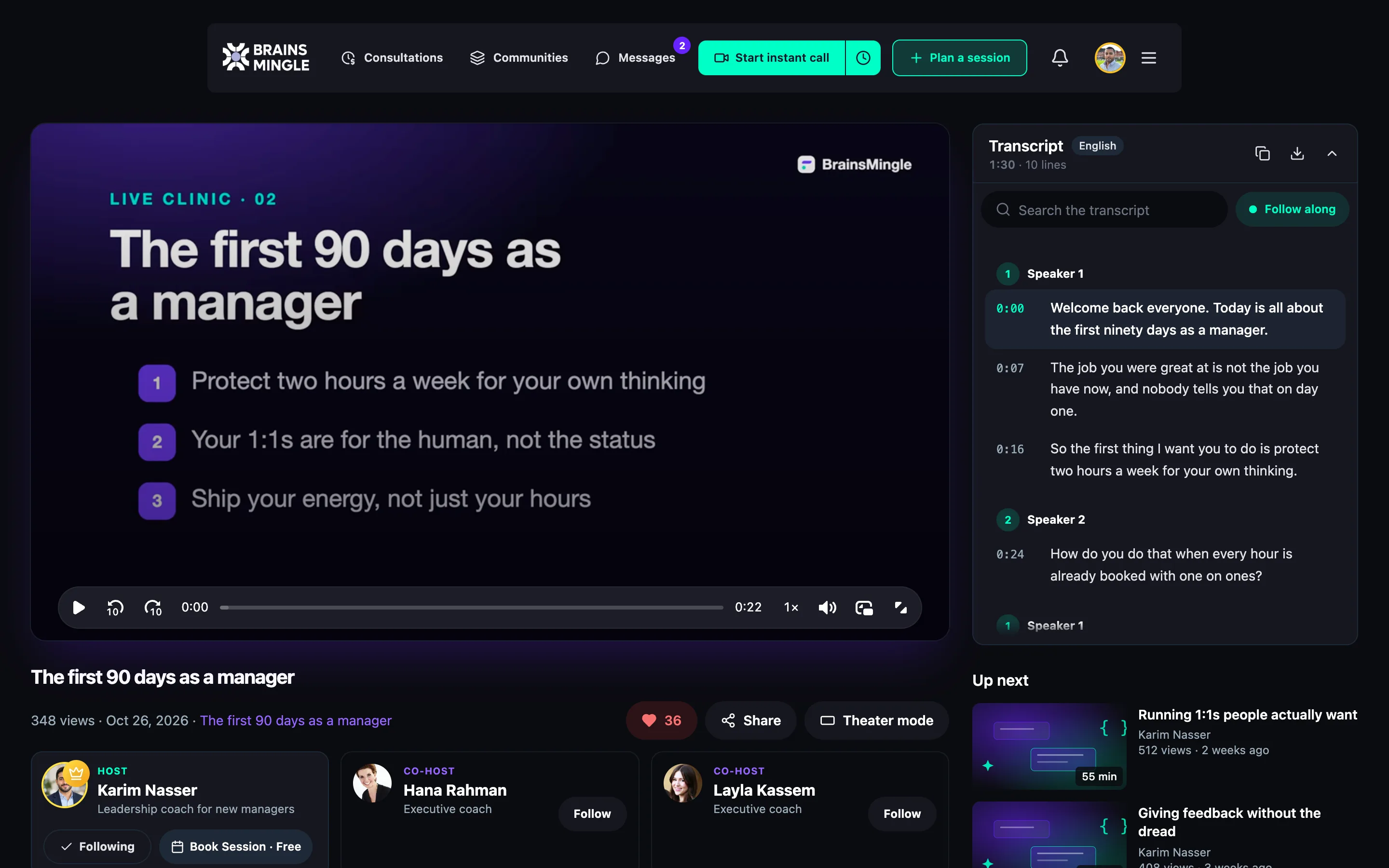
The recording, with its transcript, for the people you choose: attendees, a community, or everyone.
The reason they came, built into the agenda.
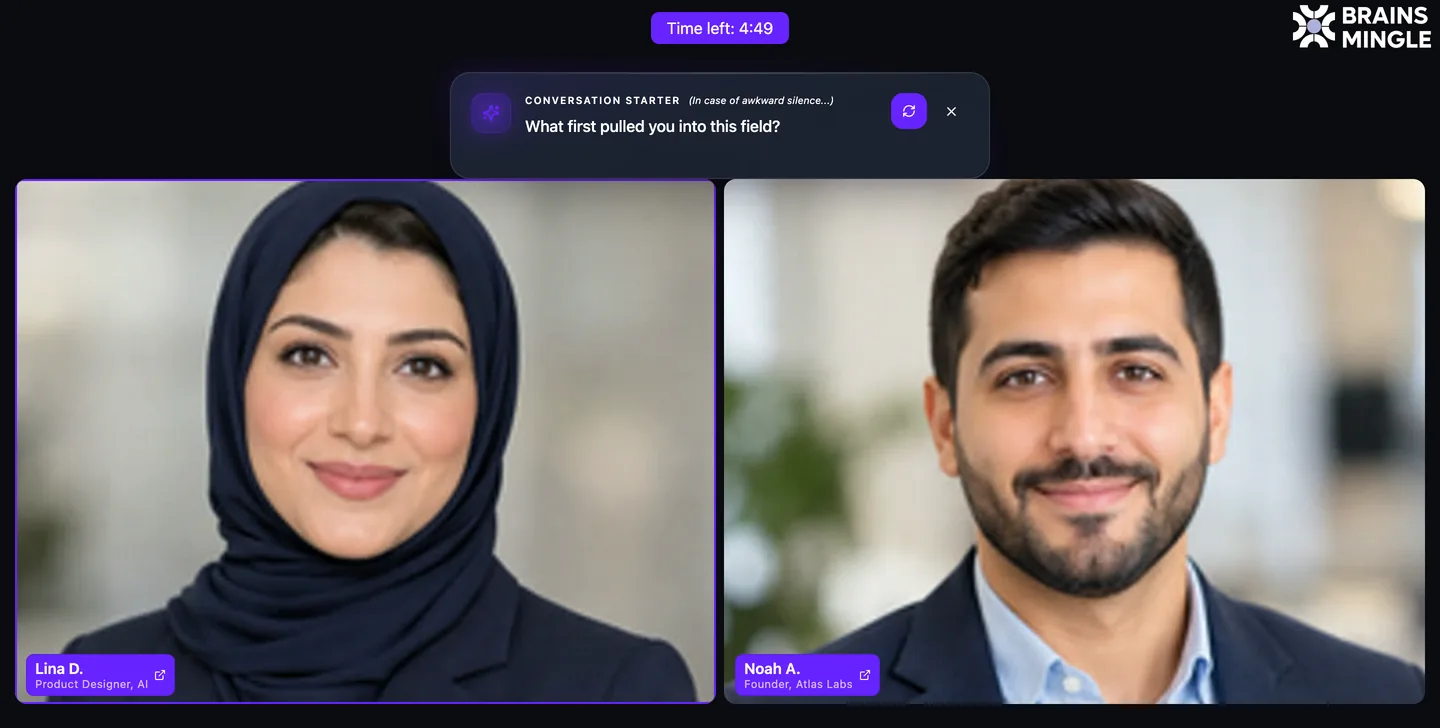
Add a speed networking room before or after the talk. Everyone is matched at once into timed one-to-one video calls, then reshuffled. Nobody meets the same person twice.
- Roles if you want themSpeaker and Attendee, Sponsor and Prospect: pair opposite roles, or same roles for peers.
- Intro and outro roomsOpen and close with everyone together, then let the rounds run.
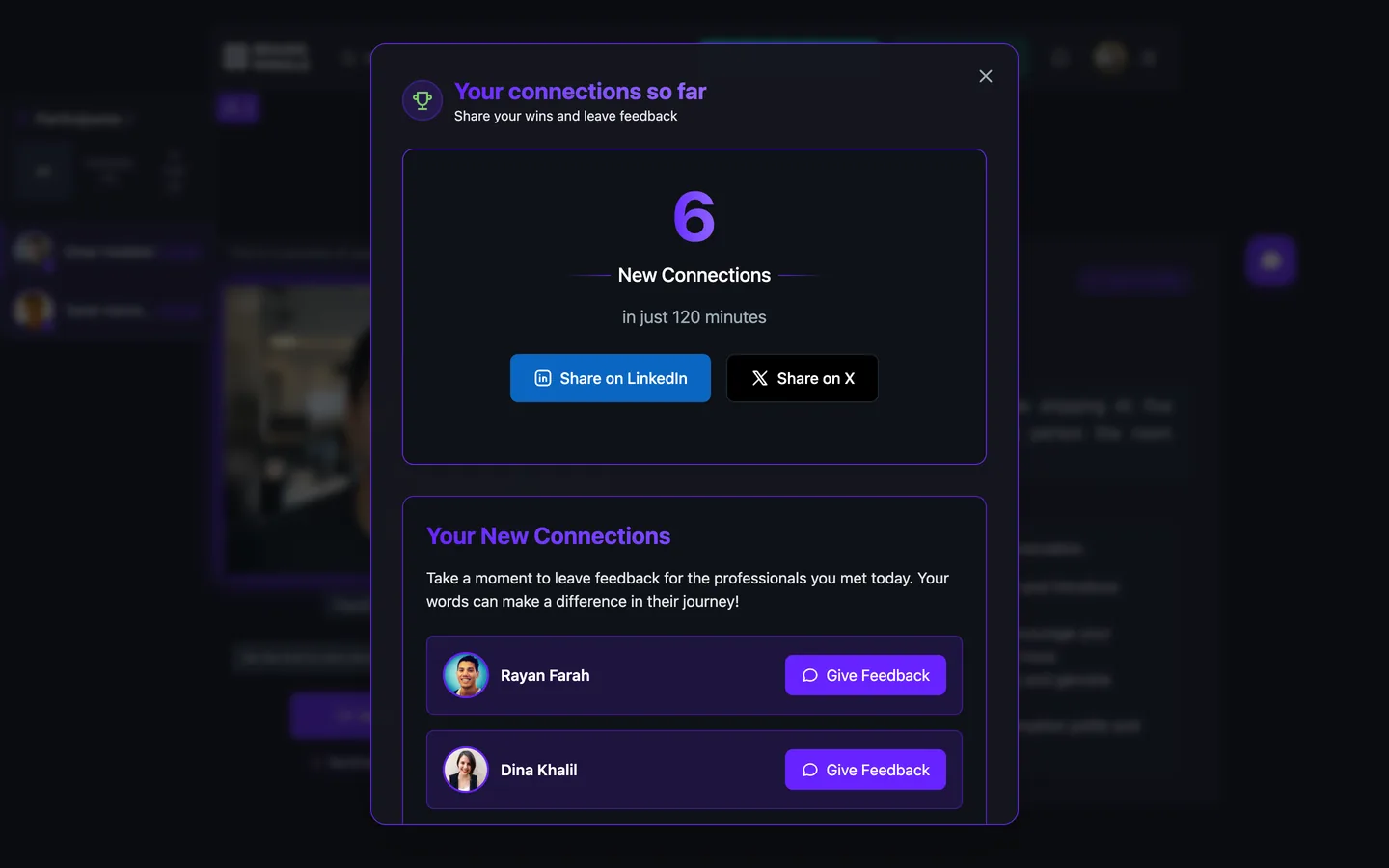
- A summary when it endsEveryone sees who they met, saved to their connections.
Twelve attendees wait in a lobby, are all matched into pairs at the same moment, one pair zooms into a timed one-to-one video call with an icebreaker question, then everyone returns to the lobby and is reshuffled into new pairs for the next round.
- Lobby
- Everyone matched
- One-to-one call
- Shuffle, next round
When you schedule a room, it shows how many conversations fit. Hosting speed networking rooms is on the Community plan.
Running a series? Make it a program.
A summit, a lecture series or a workshop month goes on one program page: an agenda by day and track, speakers, and one registration for every session.
- People register once, then pick their sessions; seats and a waitlist per session
- A live strip across the app shows what's on tonight, with one-click join
- Attendance counted in the room, and a certificate per session, track or program
- Recordings, files and 1-to-5 ratings on every session card
Programs are switched on per organization while we roll them out. We set up your first program with you.
 Clara V.
 Lena K.
 Sara M.
Get paid for the room you filled.
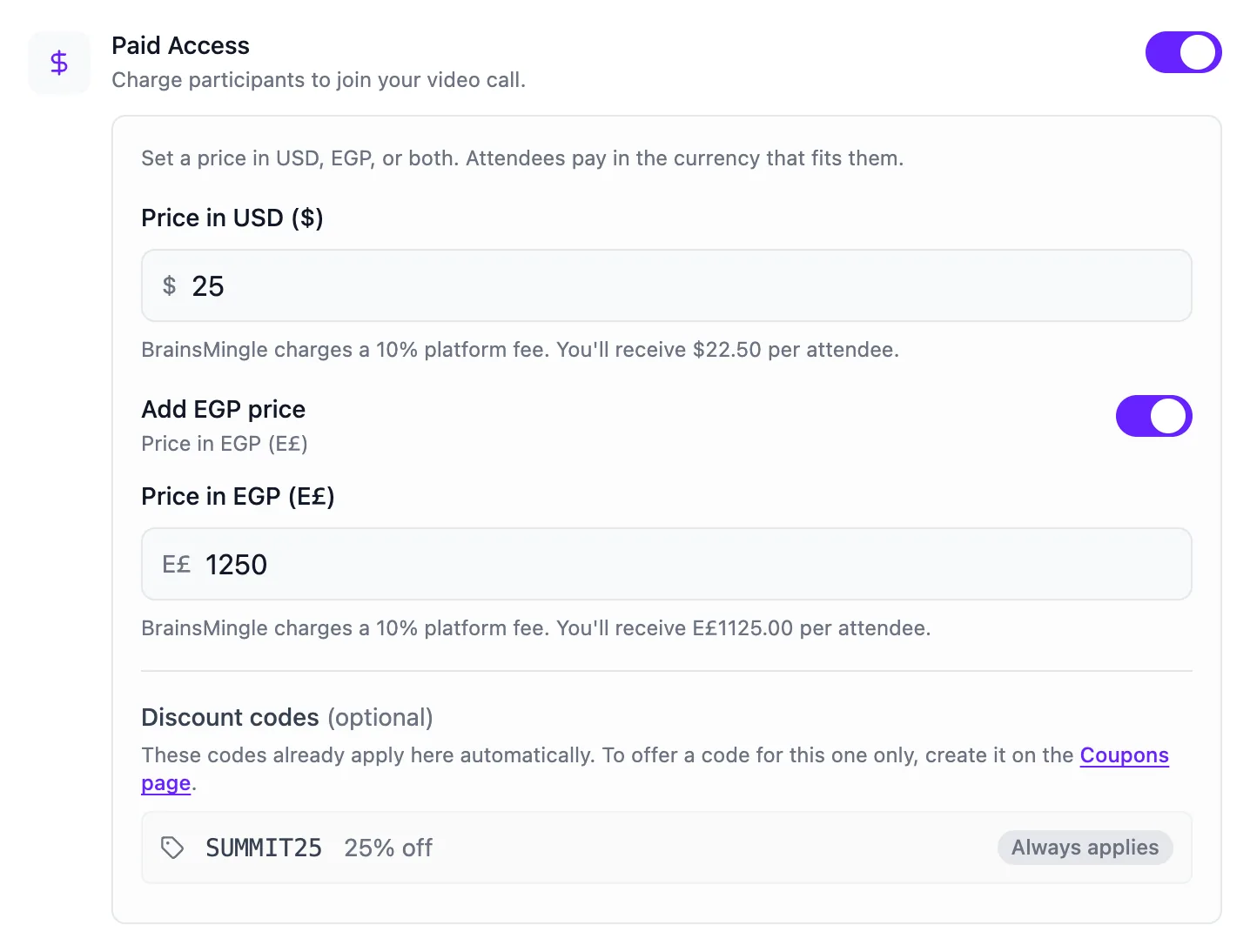
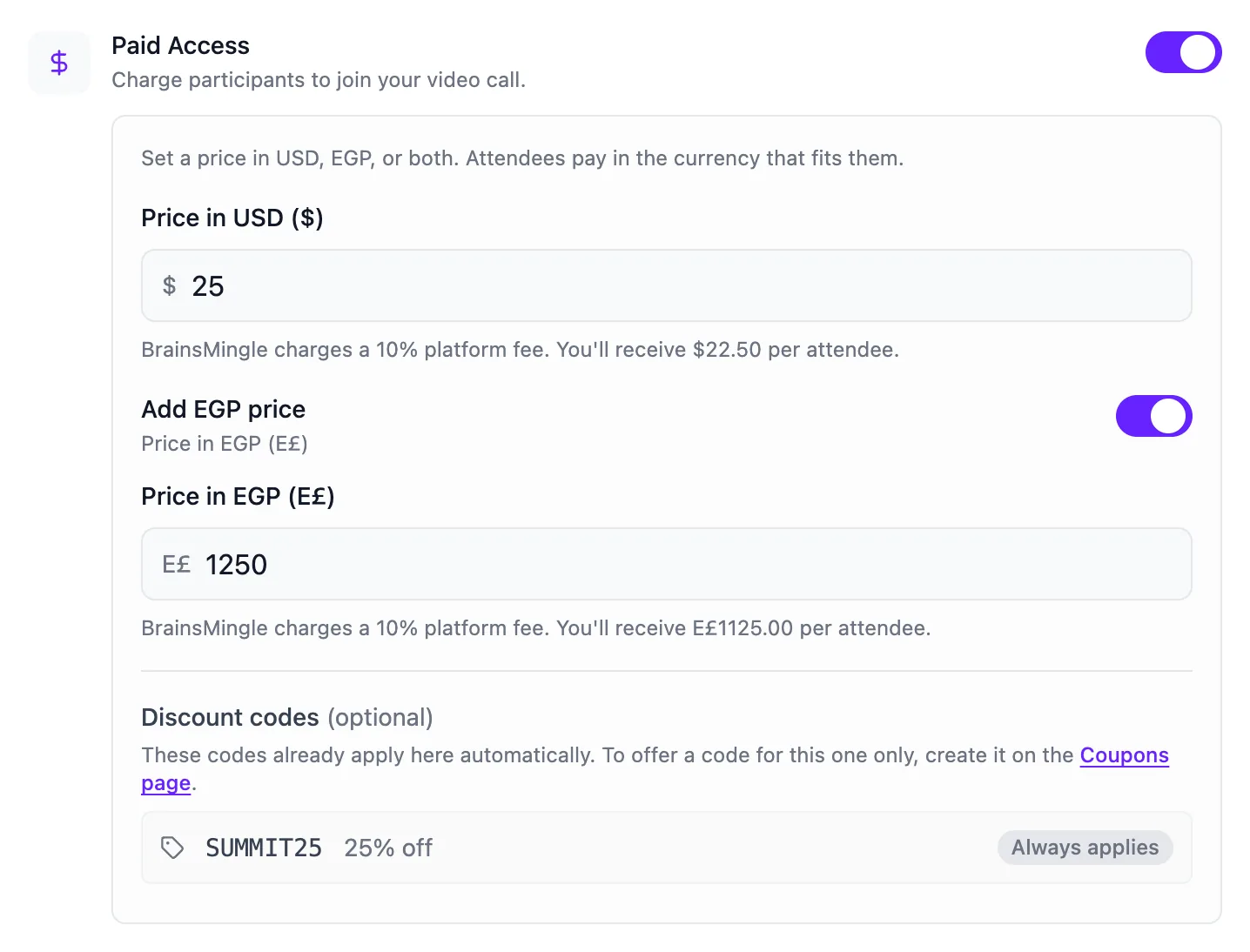
Price it in USD, EGP or both.
You see what you'll receive per attendee before you publish. Cancel a paid event and everyone who paid is refunded automatically.
Shown on a paid plan (10% fee). On Free the fee is 15%.
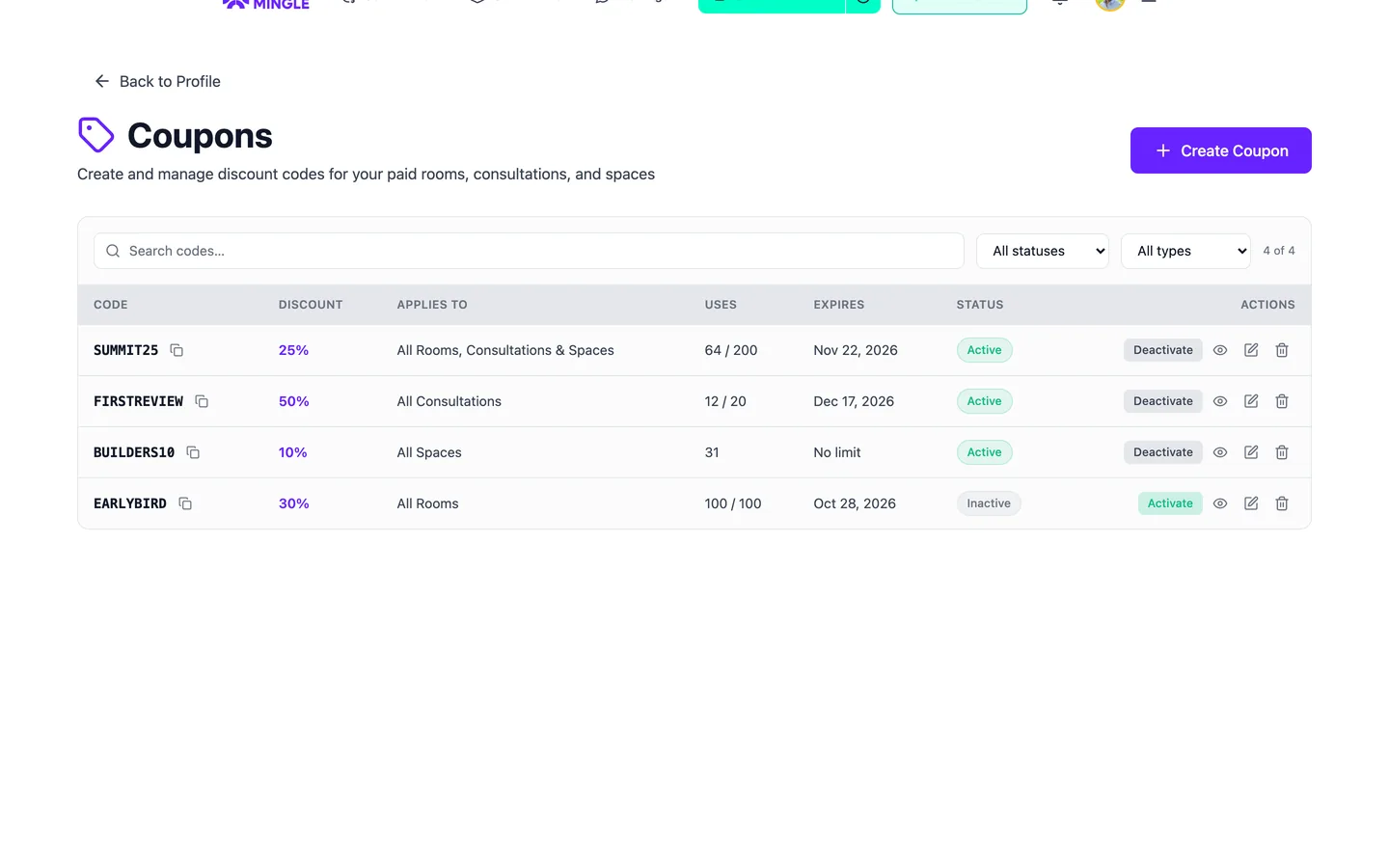
Early-bird and partner codes.
Codes for every event, one category or one event, with a use limit and an expiry date. A 100% code lets a guest in free.
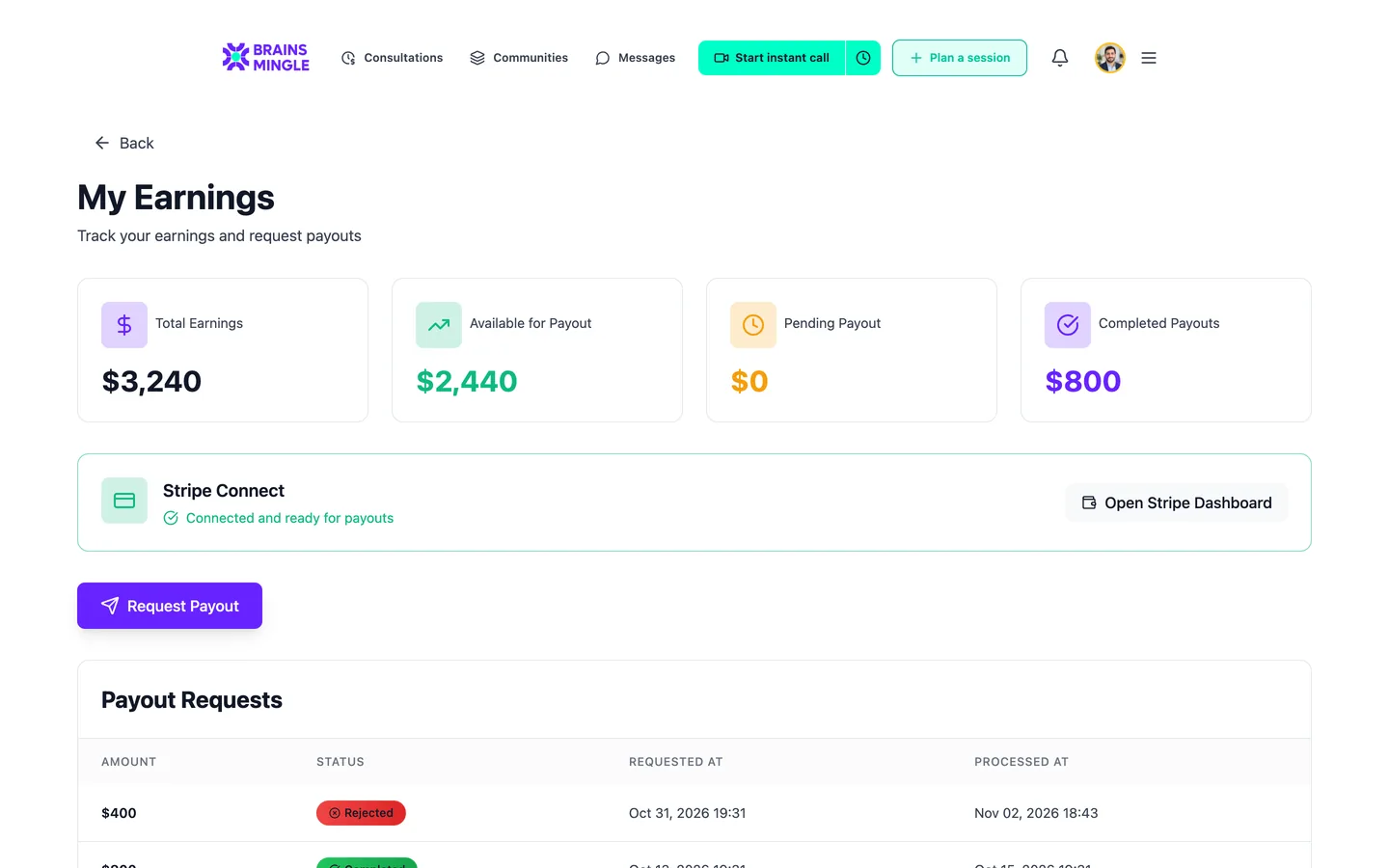
Paid out to your own Stripe account.
Every ticket you sell lands in My Earnings, with what's available, what's pending and every payout you've requested.
A sponsor on the page and in the room.
Save a sponsor once with its logo, offer and button. It shows as a card on the event page, and its logo sits in the room header while you're live.
See sponsor placementsKeep the room between events.
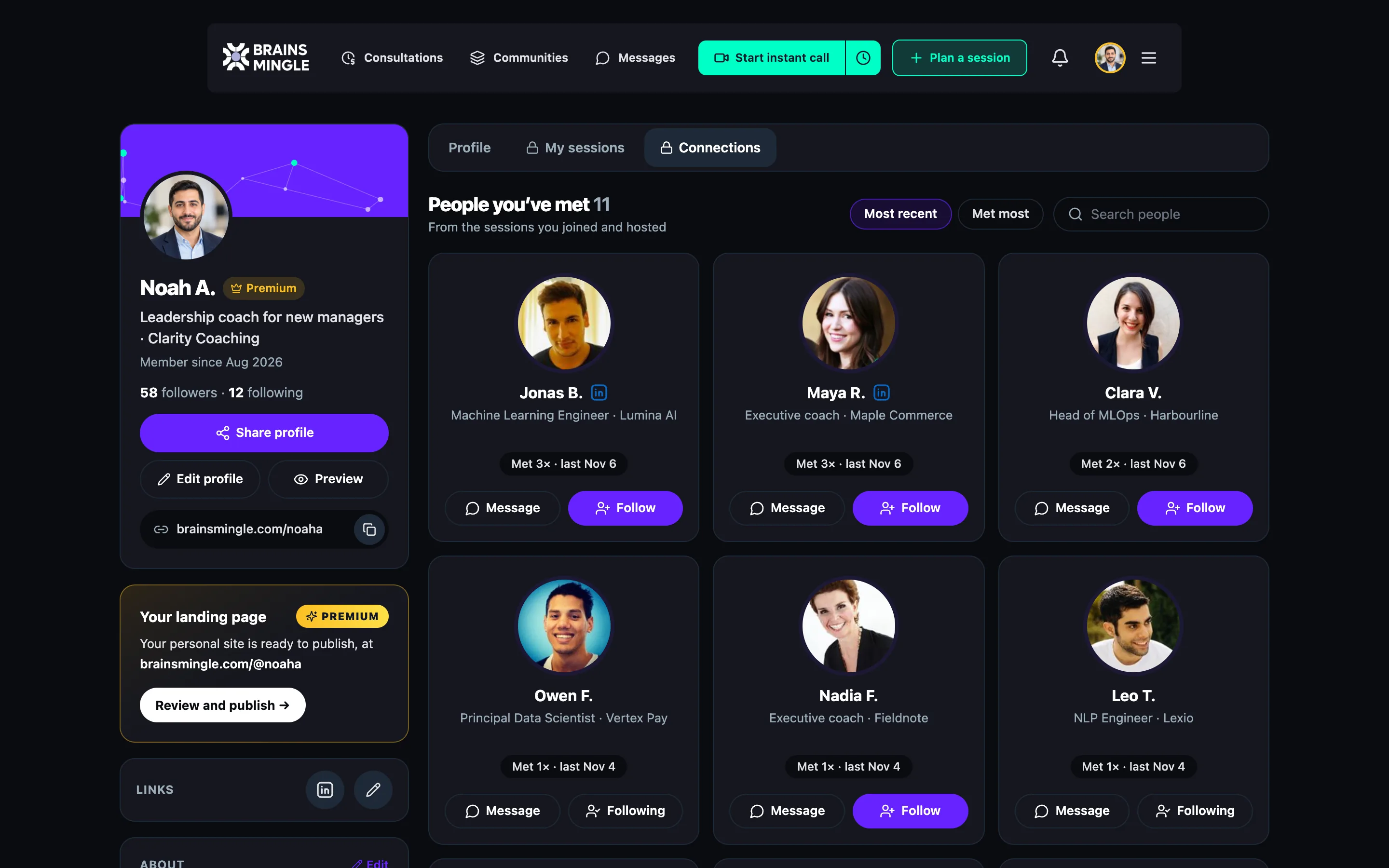
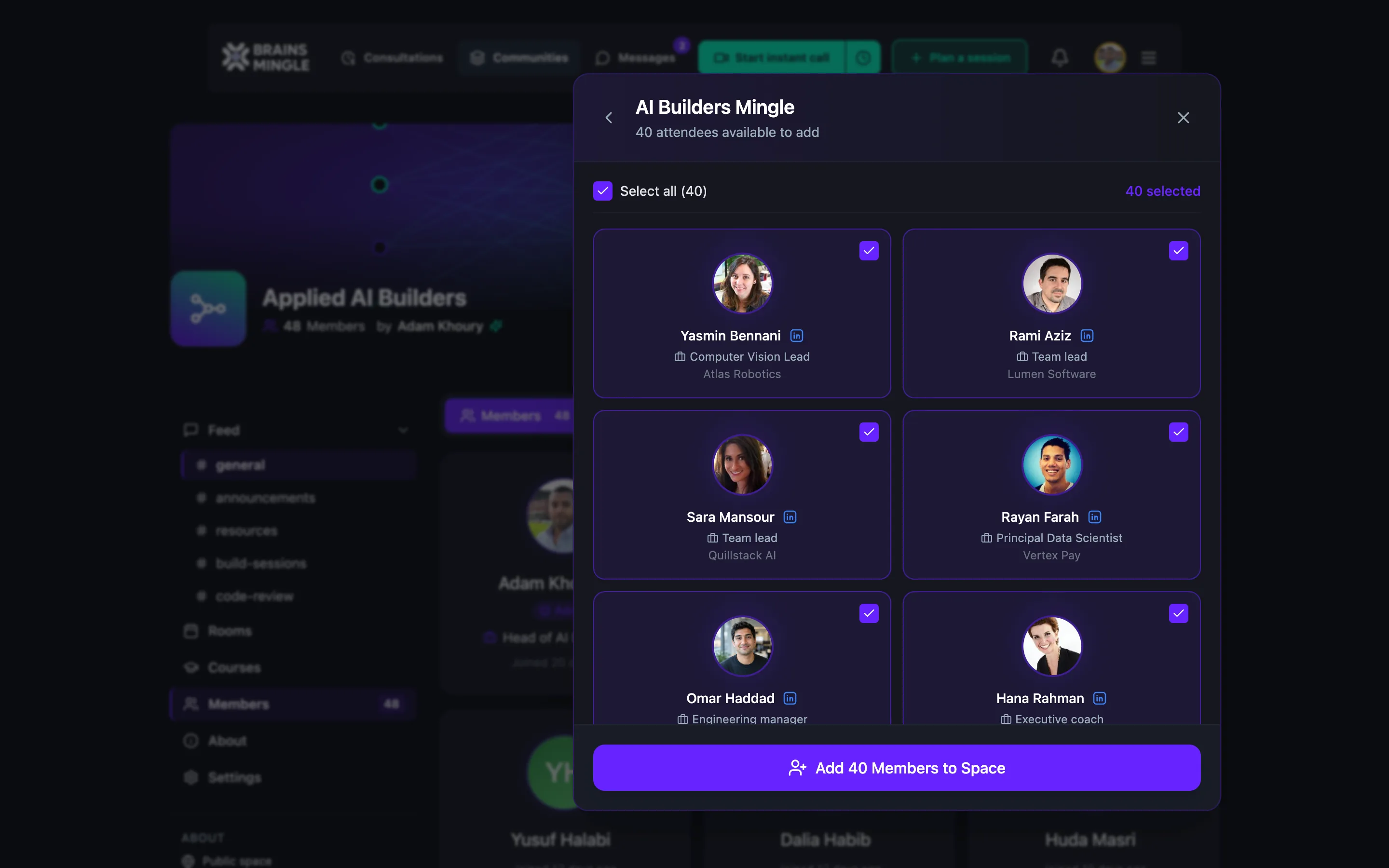
Your next event shouldn't start from an empty list. Move everyone who came into a community, where the replay, the discussion and the next announcement wait for them.
- Bulk-add attendees of a past event as community members
- A discussion board on every event
- Replays with access control: participants, chosen communities, or public
Already running a group chat for your attendees? Bring them with you.
- Telegram
- Slack
- Discord
- Circle
- Facebook Groups
Keep the conversation going between events, and add the calls and rooms a chat app can't run.
Free to start. Pay as you sell.
Free to start
Event pages, live sessions and registration forms. A 15% fee only on tickets you sell.
Start freePaid plans from
Longer sessions, bigger rooms and a 10% fee on tickets.
Community plan
Everything above, plus speed networking rooms for your attendees.
Prices in USD. See full pricing
Run sessions, workshops or webinars of your own? Sell them here too.
- Live sessions
- Courses
- Webinars
- Workshops
- Consultations
- Coaching
One page for everything you sell and deliver, and one account for everyone who joins.
Before your next event.
Producing a conference or a large summit? See White label for conferences.
Do attendees need to install anything?
Does speed networking need a big crowd?
Can I record it and share the replay?
What happens if I cancel a paid event?
Can I run in-person sessions?
Your next event, on one link.
Publish the page today, run it live on video and pair the room when the talk ends. It's free to start.
Running this for an organization? Book a demo