

Go live where your people already are.
Instant calls, scheduled workshops and webinars with a stage and an audience. Chat, polls, Q&A, breakout rooms and recording are already in the room, and the replay lands on the same page.
The host's view of a live webinar: a poll goes from draft to live in a few clicks.
- 4ways to go live: instant call, video room, webinar or speed networking room.
- 50breakout rooms at most per session, assigned by hand or at random.
- 0meeting links to send. People join from the session page.
- 1080precordings, started by the host whenever they choose.
Four ways to host a webinar, one Create button.
Every format shares the same room, toolbar and recording. The only difference is how people come in.
Instant call
Start now, copy the link or invite by email, and you're live. Good for office hours and quick check-ins.
No schedulingVideo room
A scheduled workshop or class with a date, a length, access rules, a price and a registration form if you want one.
Scheduled or recurringWebinar
Speakers on a stage, everyone else watching a live stream with chat. Bring people up when they raise a hand.
Stage and audienceSpeed networking room
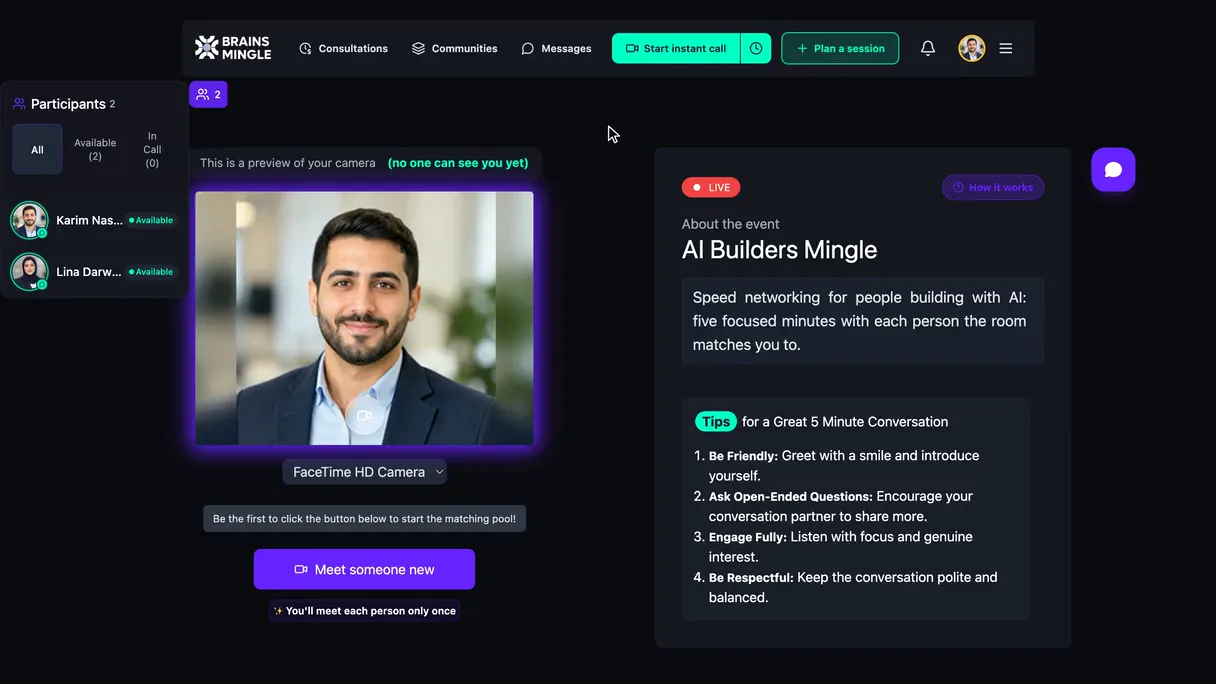
Timed one-to-one rounds with no repeat matches, for when the audience should meet each other. How rooms work
1:1 rounds
A stage for speakers, a live stream for everyone else.
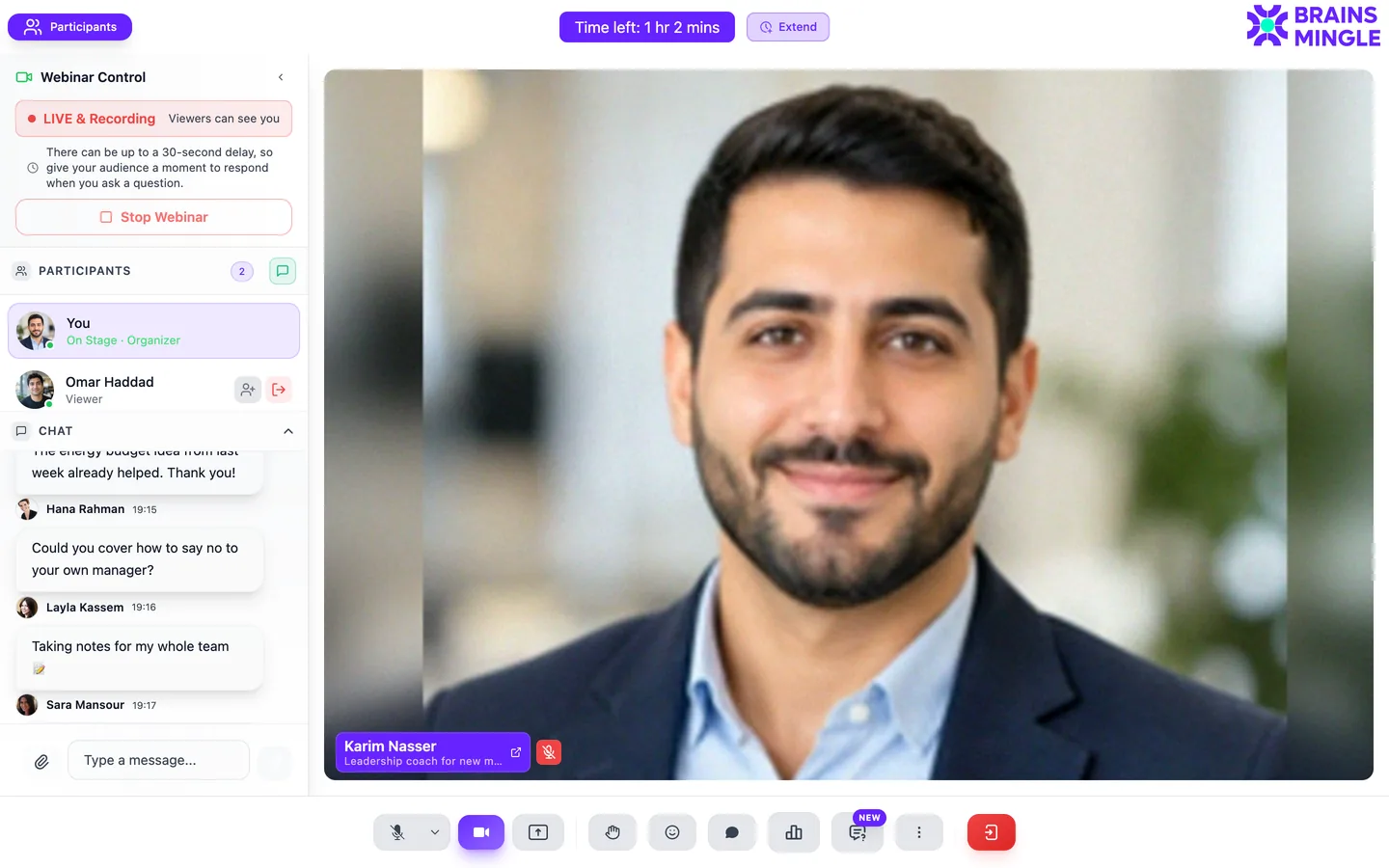
The host runs the whole session from one screen: who's on stage, what the audience is asking, and what to ask them back.
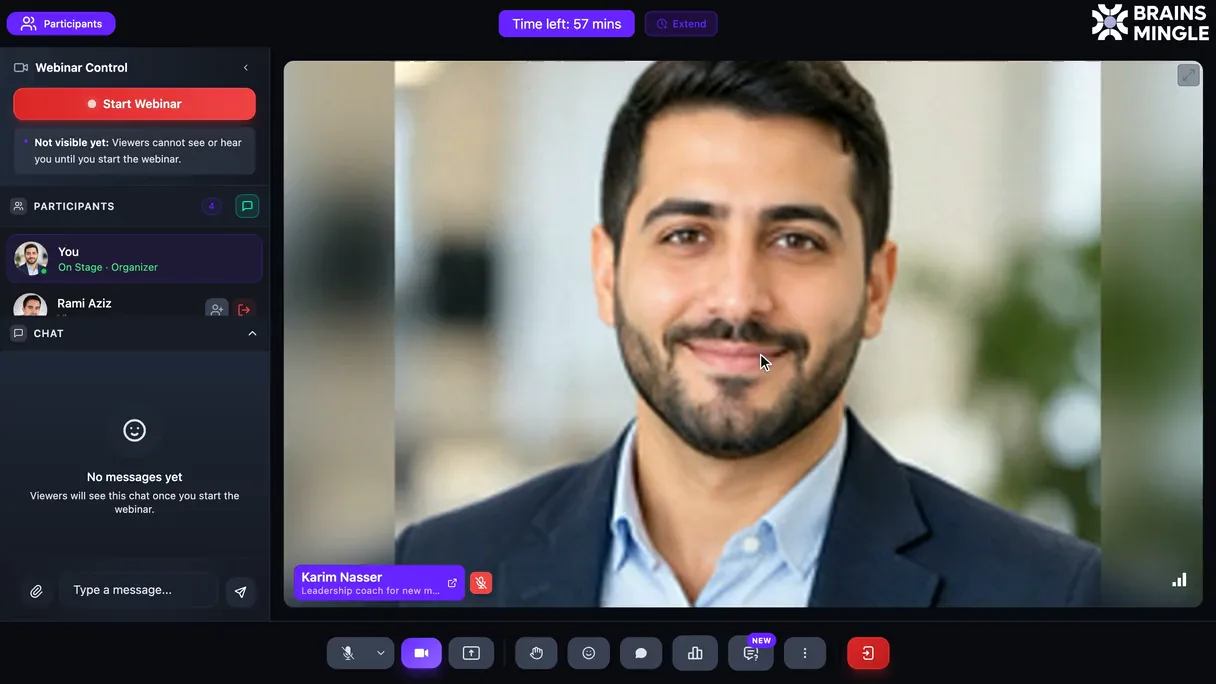
A live webinar, seen by its host.
- You decide when it's liveEnter, check your setup, then start. The panel shows LIVE & Recording and the short stream delay, so you pause for questions.
- Running long? ExtendTime left sits at the top. Add time without restarting the room.
- Chat that keeps upReplies, reactions, pinned messages and attachments, with the participant list right above.
- Ask the roomWrite a poll, single or multi-select, timed or not, named or anonymous, with results live or after close.
- The toolbarMic, camera, screen share, raise hand, reactions, picture-in-picture, chat, polls and questions.
Make a big room feel small.
Ask everyone at once.
Launch a question mid-session and watch the answers come in. Export the results when you're done.
- Single or multi-select
- Timed, or open until you close it
- Named or anonymous votes
- Show results live, or reveal after close
- Download results as CSV or Excel
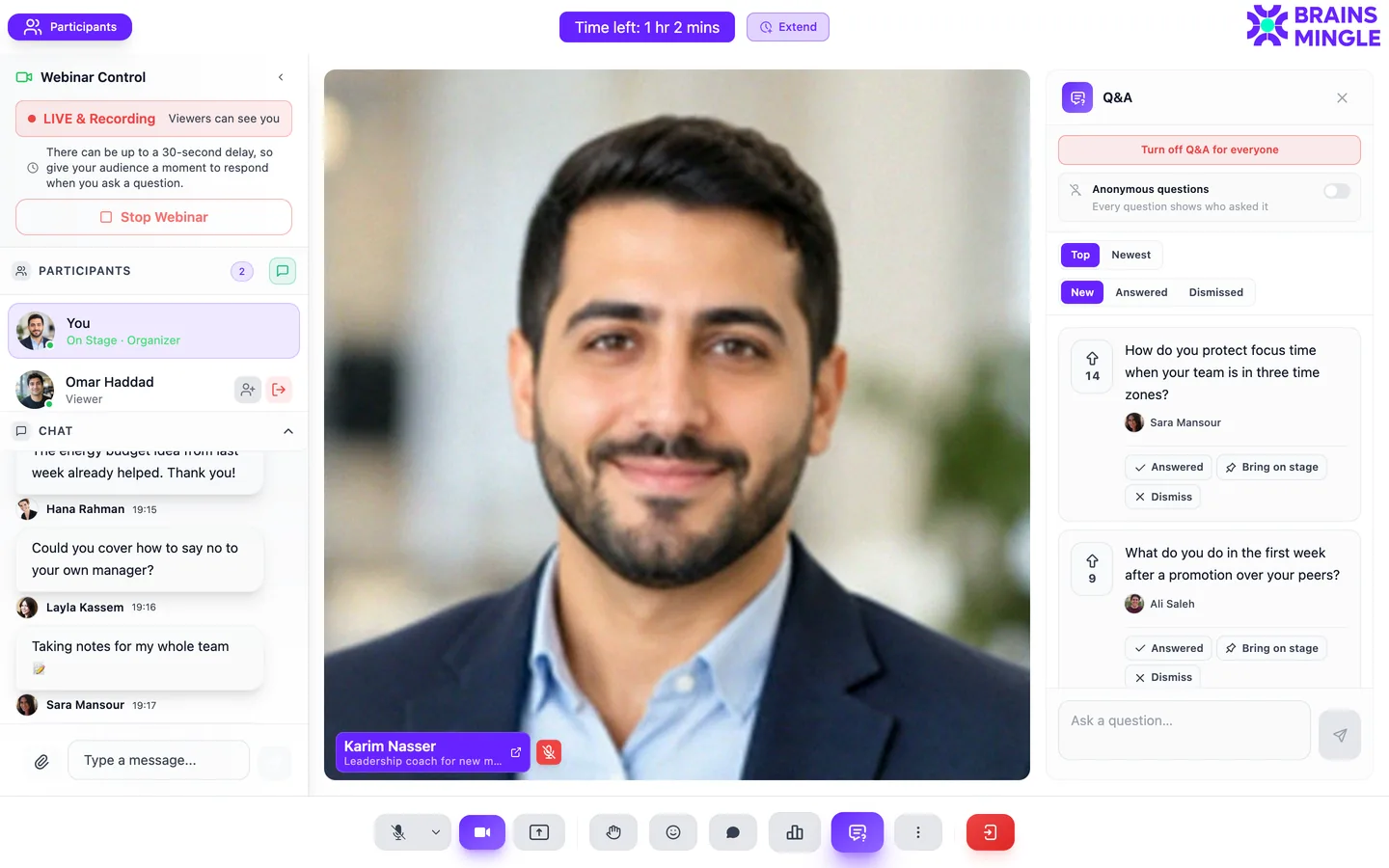
Questions the room can upvote.
The audience asks, the audience votes, and the best question rises to the top while you're still talking.
- Anonymous questions, if you allow them
- Sort by top or newest
- Bring the person who asked on stage
- Turn Q&A on or off at any point
Split into small groups, then come back.
Open breakout rooms mid-session for exercises and discussions, then bring everyone back to the main room.
- Up to 50 rooms per session
- Assign people by hand or at random
- Set how long the rooms run
- Broadcast a message to every room
Let the audience take the mic.
Viewers raise a hand from the stream. You accept, and they're on stage with camera and mic, then back in the audience when they're done.
- Raise-hand queue for the host
- Invite anyone on stage directly
- Co-hosts and moderators share the work
- Mute, lock a camera or pin a speaker
Every recording, your rules.
Start recording from the toolbar whenever you're ready; nothing records unless you do. The replay gets its own page with a searchable transcript, and you choose who can open it.
- Only mePrivate to the host
- ParticipantsEveryone who attended
- Chosen communities and peopleShare with a paid community, a cohort or named members
- PublicListed with your public replays
“Live Clinic 02” replay: transcript you can search and follow along, then hosts and comments.
What's in the room, and around it.
- Access
- Auto-approve anyone with the link, or approve each person.
- Discovery
- Listed in search and browse, or link-only.
- Price
- Free, or paid in USD, EGP or both, with coupons and the net amount shown.
- Registration
- A form before people join: suggested fields, your own questions, export.
- Repeats
- Daily, weekly, every two weeks, monthly or custom days.
- Language
- Set the spoken language so people know what to expect.
- Screen share
- Screen, window or tab, with annotation on top.
- Backgrounds
- Blur, a preset, or your own image.
- Controls
- Mute, lock a camera, pin a speaker, add co-hosts and moderators.
- Extend time
- Add time to a running session without a new link.
- Recording
- 1080p, started by the host. Download, rename and comment.
- Feedback
- Attendees rate call quality and can score the content afterwards.
Workshops, classes, town halls, clinics.
Does every session record automatically?
Do attendees need to install anything?
How many people can join?
Can I charge for a session?
Can attendees meet each other, not just watch?
Your next session doesn't need a link.
Schedule it on BrainsMingle and people join from the page, pay if it's paid, and find the replay in the same place.