

Every session on one page. Attendance you never chase.
Put your summit, bootcamp or lecture series on one page with an agenda, speakers and a single registration. Attendance is counted in the room, and certificates go out on their own.
 Maya Sabbagh
 Hana Rahman
 Dina Khalil
 Speed networking
- Live stripShows what's on right now, across the whole app, with one Join button.
- Register onceOne registration and one form for the whole program. Then people pick sessions.
- Nights and tracksThe agenda by day or night, split into tracks if you want them.
- Badges that matterLive now, You are in, and Certificate included on the sessions that award one.
- Progress, for themEach attendee sees how many sessions are left for their certificate.
- 1registration for every session, with one join form.
- 70%of an online session in the room counts as attended.
- 2kinds of session on one agenda: online, and at a venue with check-in.
- 3certificate scopes: per session, per track or the whole program.
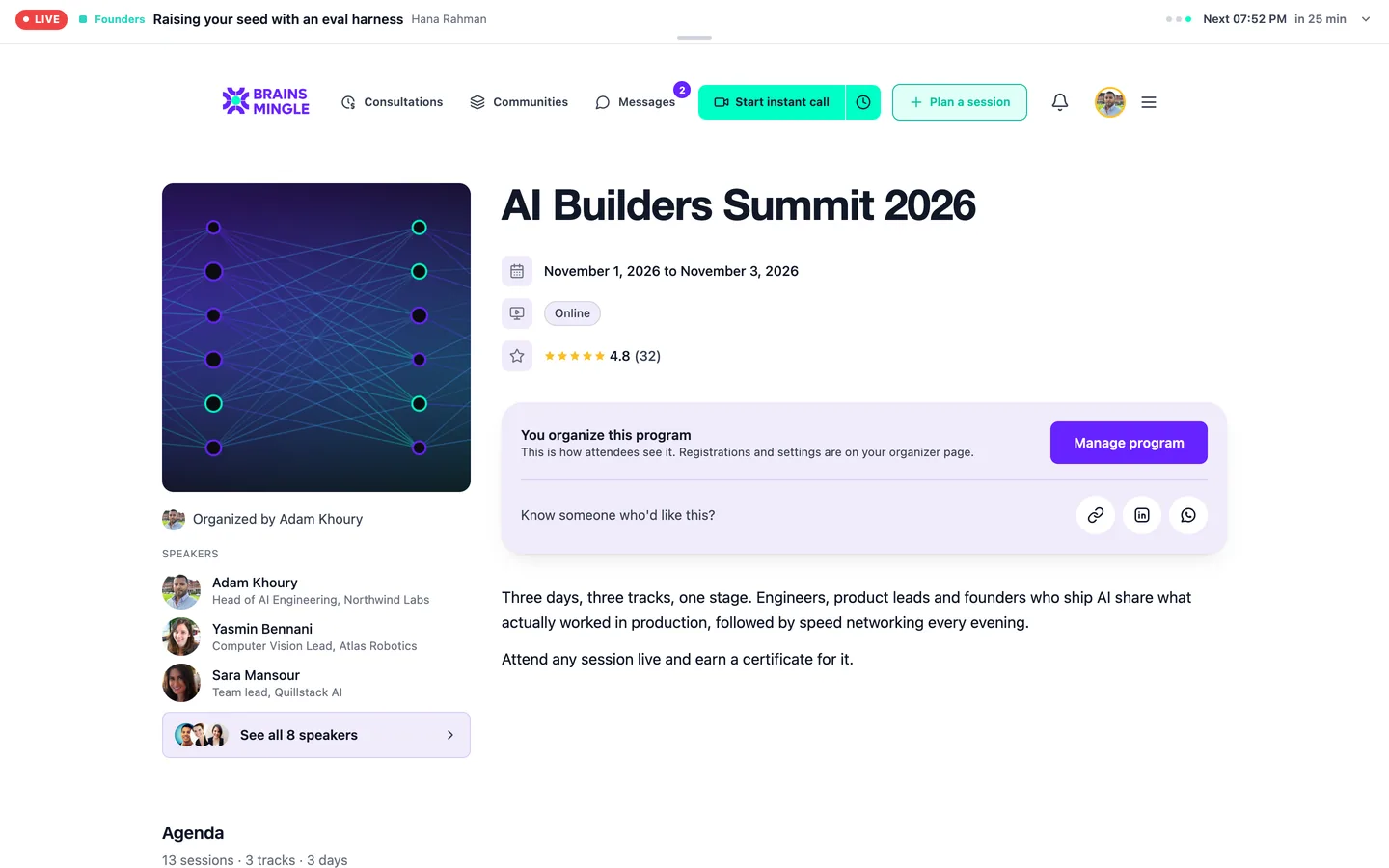
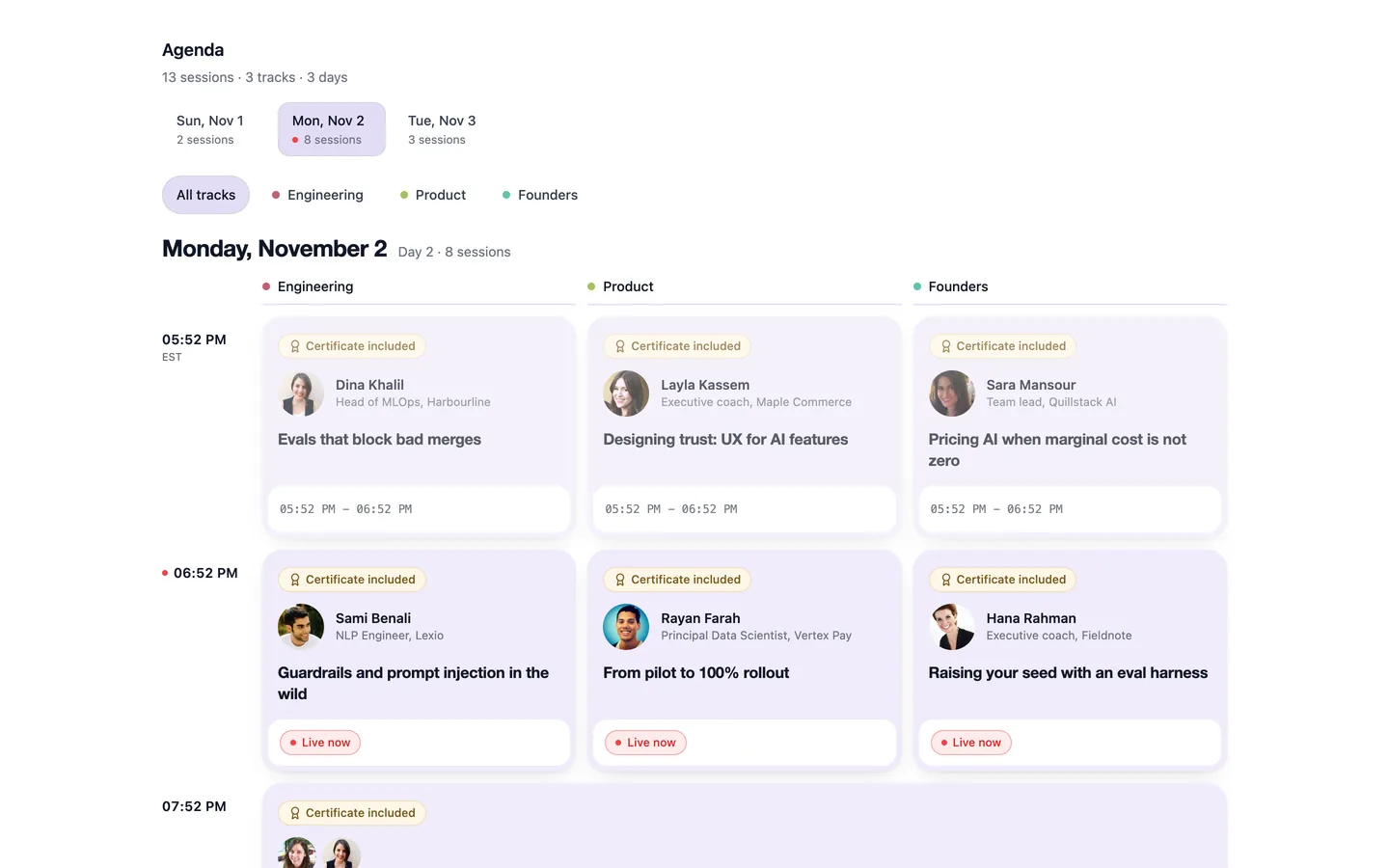
A program page and its agenda.
One sign-up for the whole virtual summit. Their own schedule.
People register for the program once, answer your questions once, then choose the sessions they want. Full sessions fill from a waitlist on their own.
Register
One button on the program page. If you added a join form, people answer it here, once.
“You pick your sessions on the next screen”Pick sessions
All of them, or a few. If two picks run at the same time, people are told and can still take both.
“Pick your sessions”Seats and waitlist
Cap seats per session. When it's full, people join the line, and freed seats go to the line first-come.
“On the waitlist”You're in
Add every session to the calendar in one go, and share a personal card for the program.
“Add all to my calendar”
Invite-only or members-only programs work too: invite people by email, or open the program to one community. Approve requests from the registrations list.
Members find tonight's sessions without looking.
While a program night is on, a strip across the app shows what's live and what's next. One click and you're in the room, or on the waitlist, or registered on the spot.
- Doors, sessions, changeovers“Doors open at 19:00”, “Changeover in 5 min”, “Last session of the night”.
- Join, or switch tracksMove between parallel sessions without hunting for links.
- Remind meSet a reminder for a later session from the strip itself.
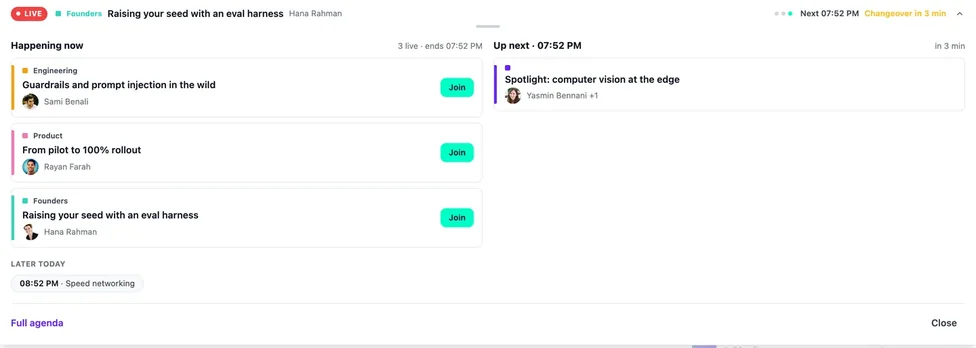
The live navigator: where every session stands, and what comes next.
Certificates people earned, not ones they claimed.
An online session counts once someone spends most of it in the room: 70% of its length. A session at a venue counts when they check in with the code at the door. Nobody fills in a form to say they were there.
- Online sessions run in BrainsMingle rooms, webinars and speed networking rounds
- Venue sessions show the address, directions and a door check-in code
- Choose one certificate per session, per track, or for the whole program
- Each certificate has a public page anyone can verify
49 of 60 minutes is past the 70% line: Attended.
The code at the door does the counting: Attended.
2 more for your certificate.
Missed a night? Watch it from the session card.
Once a recording is ready, the session card shows Watch. The replay has a searchable transcript, and the session keeps its files and links.
- Watch the recording from the agenda
- Rate the session from 1 to 5 stars once it ends
- Files and links for each session, added as the program runs
- My programs: registrations, progress and certificates in one place
A session replay, with its transcript.
Run the whole program from one desk.
Each part of the program has its own tab. On the night, admins fix any session from the control room.
- Registrations
- Seats, the waitlist, approvals, and admit people from the list.
- Check-in
- A door code for each venue session, and who's checked in.
- Analytics
- Registrations, attendance and progress across sessions.
- Certificate
- Choose the scope: session, track or program.
- Invitations
- Invite people by email to invite-only programs.
- Roles
- Add co-organizers to share the work.
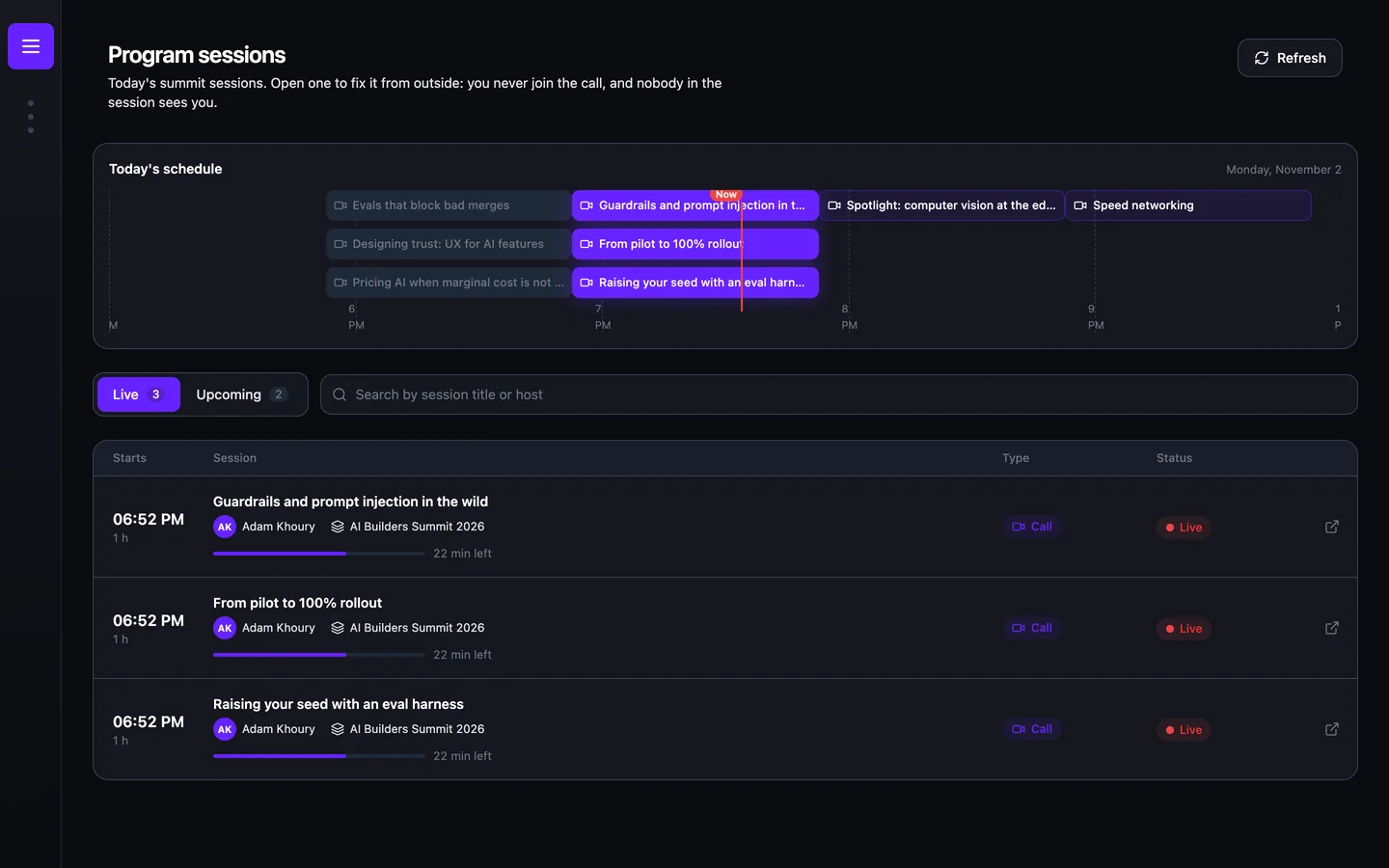
Fix a session without walking into it.
“Open one to fix it from outside: you never join the call, and nobody in the session sees you.”Program sessions, admin control room
What an admin can do from outside a live session:
Live and Upcoming lists for today, filtered by program, with each session's main, intro and outro rooms.
For anyone who runs a schedule, not a single event.
Results from BrainsMingle's own summit, published after it runs.
Case study in progressCan I use Programs on my own account?
How is attendance counted?
Can people attend only some sessions?
Can a session be speed networking?
Can it run under our name?
Put your next program on one page.
Tell us how many sessions, how many people and when it starts. We set up the first program with you.