

Run the cohort. Keep the alumni.
Applications, an agenda of live sessions, mentor rounds, course material and certificates in one place, and a community that stays open long after the closing ceremony.
 Dina Khalil
 Lina Darwish
 Sara Mansour
 Sami Benali
 Rayan Farah
 Nour Daher
Two kinds of programs arrive here.
Some lose a week every cycle to spreadsheets. Some lose the people the day the cohort ends. Both need the same thing: one place where the program happens.
You have the program, not the machinery.
Applications in one tool, sessions in another, attendance in a sheet somebody fills in afterwards. Put the whole cycle on one page your participants can follow.
- Applications by emailA form you can review and approve
- A Zoom link per sessionAn agenda people register for once
- Attendance by handCounted in the room
You have the alumni, not the network.
Every cycle ends with certificates sent and contacts scattered. Keep participants in a community where cohorts meet, alumni come back, and the next cohort starts warmer.
- Contacts in spreadsheetsA member base you keep
- Alumni who disappearAn alumni channel that stays open
- PDF certificates by handCertificates anyone can verify
The scattered edition.
- ApplicationsGoogle Forms + emailAnswers in a spreadsheet, approvals in an email thread, and no link to what happens next.
- Course materialDrive folders and PDFsFiles nobody opens, with no order, no pacing and no idea who finished what.
- Live sessionsA Zoom link eachThe session vanishes after the call, and attendance lives in a sheet filled in from memory.
- Cohort communityWhatsApp groupsOne thread per cohort, quiet within weeks of the closing ceremony.
- CertificatesPDFs made by handAn afternoon in a design tool, and nothing to show who attended.
- Alumni connectionNothing.The most valuable part of a program, the people, has no home at all.
Programs live or die on community and proof.
BrainsMingle runs the agenda, the live rooms, the mentor rounds, the coursework and the certificates as one product, so attendance is measured, not self-reported, and every cohort keeps a home.
Cohort program management: your whole curriculum on one page.
Put the kickoff, the weekly sessions, the guest talks and demo day on one program page, grouped by day and track. Participants register once, answer your form once, then pick their sessions.
- Agenda by day and trackSpeakers with their profiles, online sessions in BrainsMingle rooms, in-person sessions with a venue.
- Seats and a waitlistCap a session; freed seats go to the next person in line. Invite people by email.
- The live navigatorWhile tonight's sessions run, a strip across the app shows what's live. One click and they're in.
- Replays, files and ratingsWatch from the session card once the recording is ready, open the resources, rate it 1 to 5.
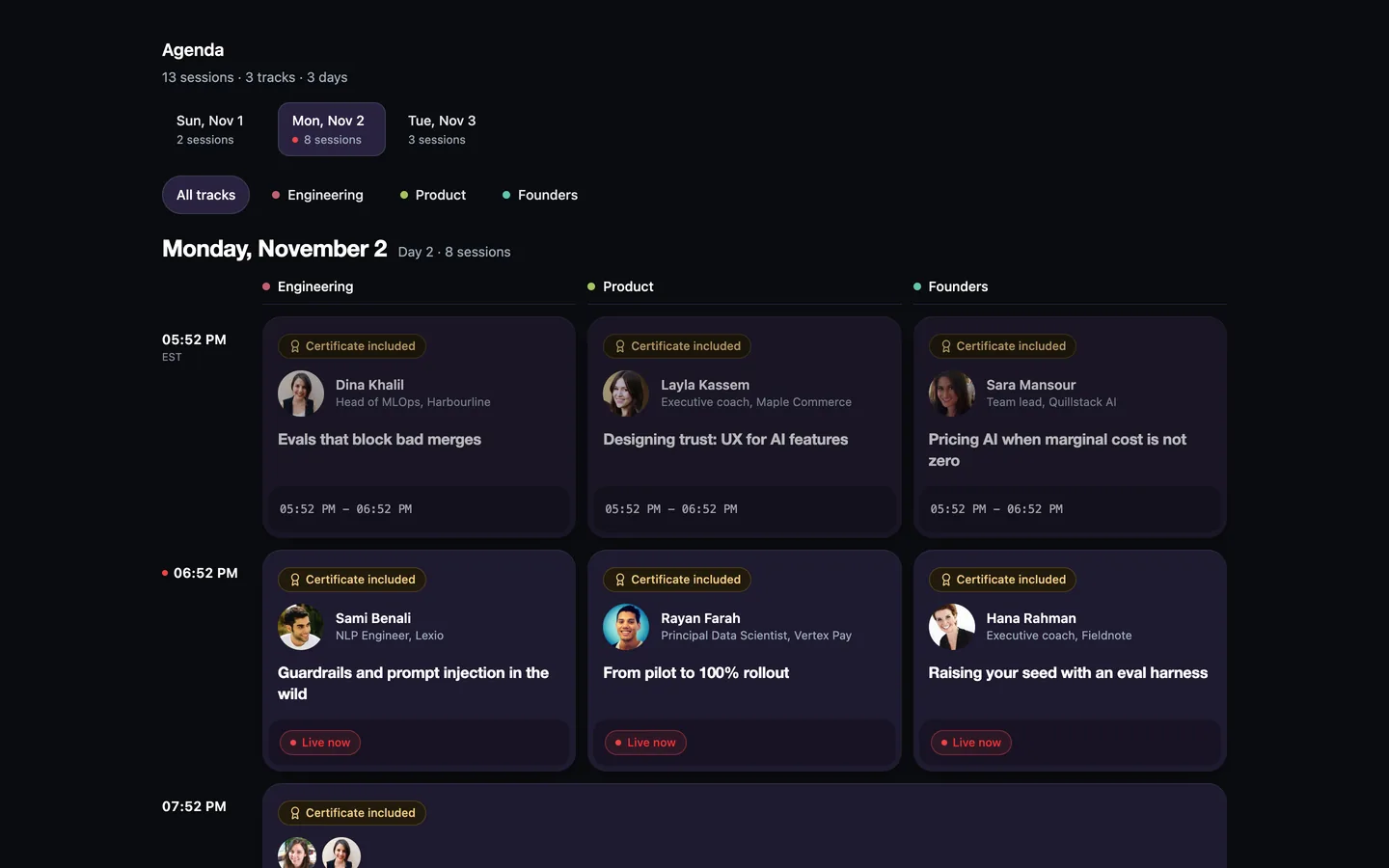
A program agenda: three tracks, and Certificate included on the sessions that award one.
Attendance you never chase
An online session counts once someone spends most of it in the room. A venue session counts on check-in with a code.
Ways to certify
One certificate per session, per track, or for the whole program, each with a public page anyone can verify.
Registration for everything
One form, one sign-up, then per-session seats. Add to calendar and a share card once they're in.
Fix tonight's session without joining it.
Every part of running the program has its own tab. Co-organizers get a role, not your password. Admins open the control room and fix any session from outside the call.
- Registrations
- Check-in
- Analytics
- Certificate
- Invitations
- Roles
- Approve or admit people straight from the registrations list
- Check-in codes for sessions at a venue
- Choose who earns a certificate, and for what
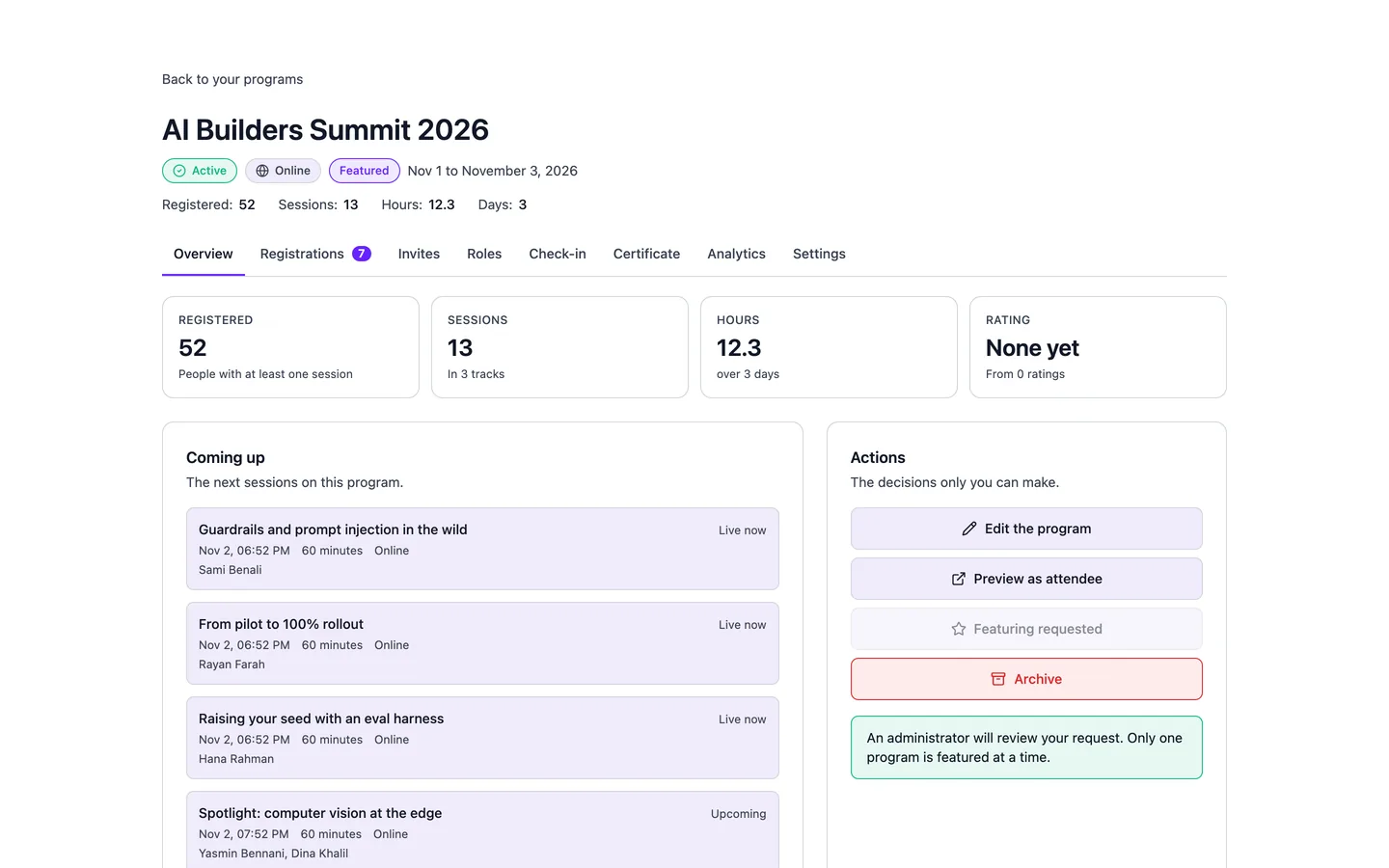
A program's organizer page: the numbers, what's next, and a tab for each job.
Applications without the spreadsheet.
Add a join form to the program or its community and decide how people get in. Answers stay attached to the person, and you can export them for your panel.
- Auto-approveOpen cohorts and clubs: anyone who applies is in.
- Decide by answersSet rules on the form, and let it approve or reject for you.
- Require approvalRead every application yourself, then admit.
Short and long answers, multiple choice, checkboxes, numbers and dates. Export to CSV or Excel.
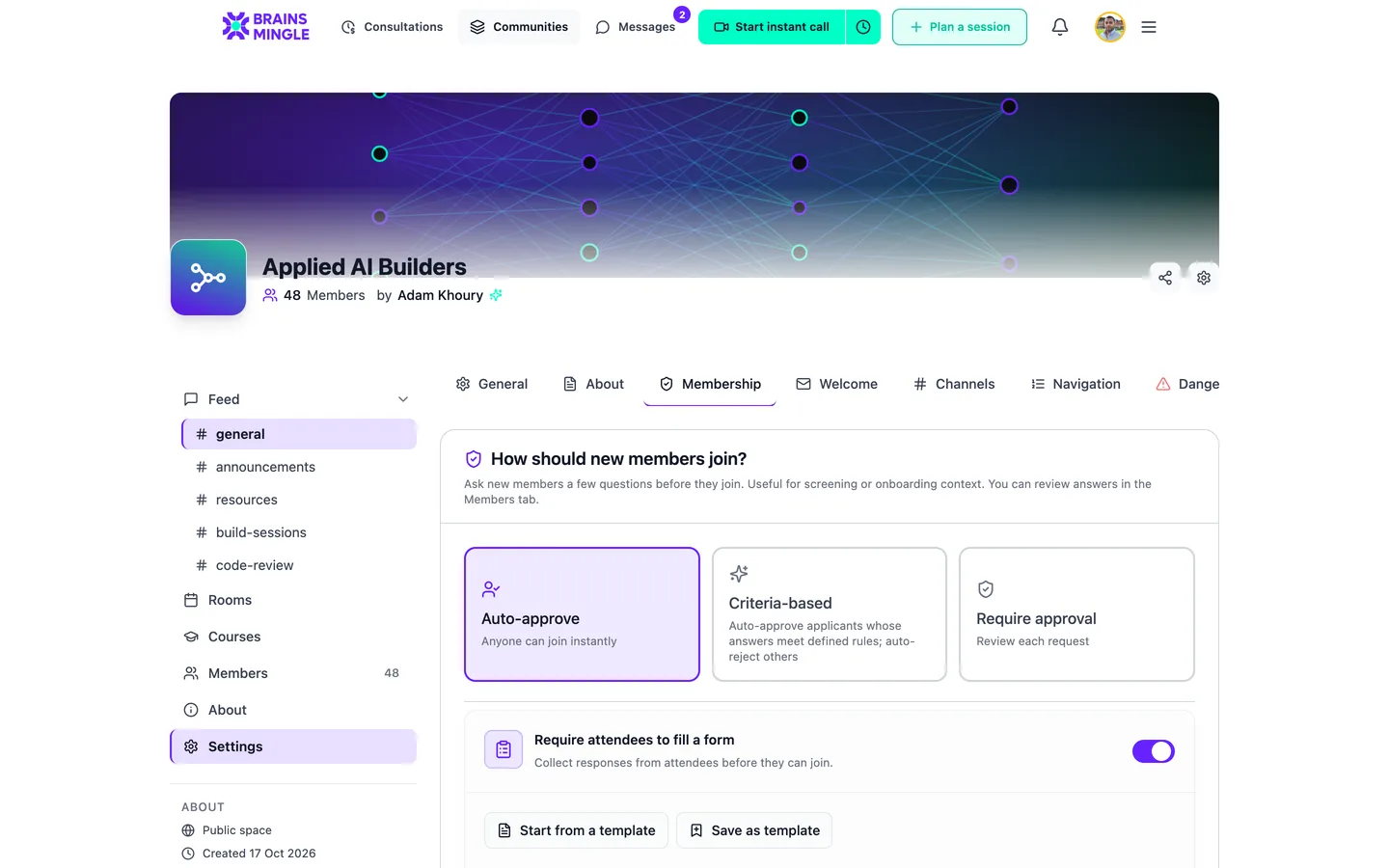
The three join modes, in the community's Membership settings.
Every participant meets every mentor.
Run a speed networking room with two roles, Participant and Mentor. The room pairs opposite roles into timed one-to-one video calls, and nobody meets the same person twice.
- You set the clockRounds run from 3 to 15 minutes.
- Roles, not luckChoose Opposite roles for mentor rounds, Same roles for peer rounds.
- A question on screenSo round one doesn't start with "so, what do you do?"

What would you build if you had one more month in this program?
Hosting speed networking rooms is on the Community plan.
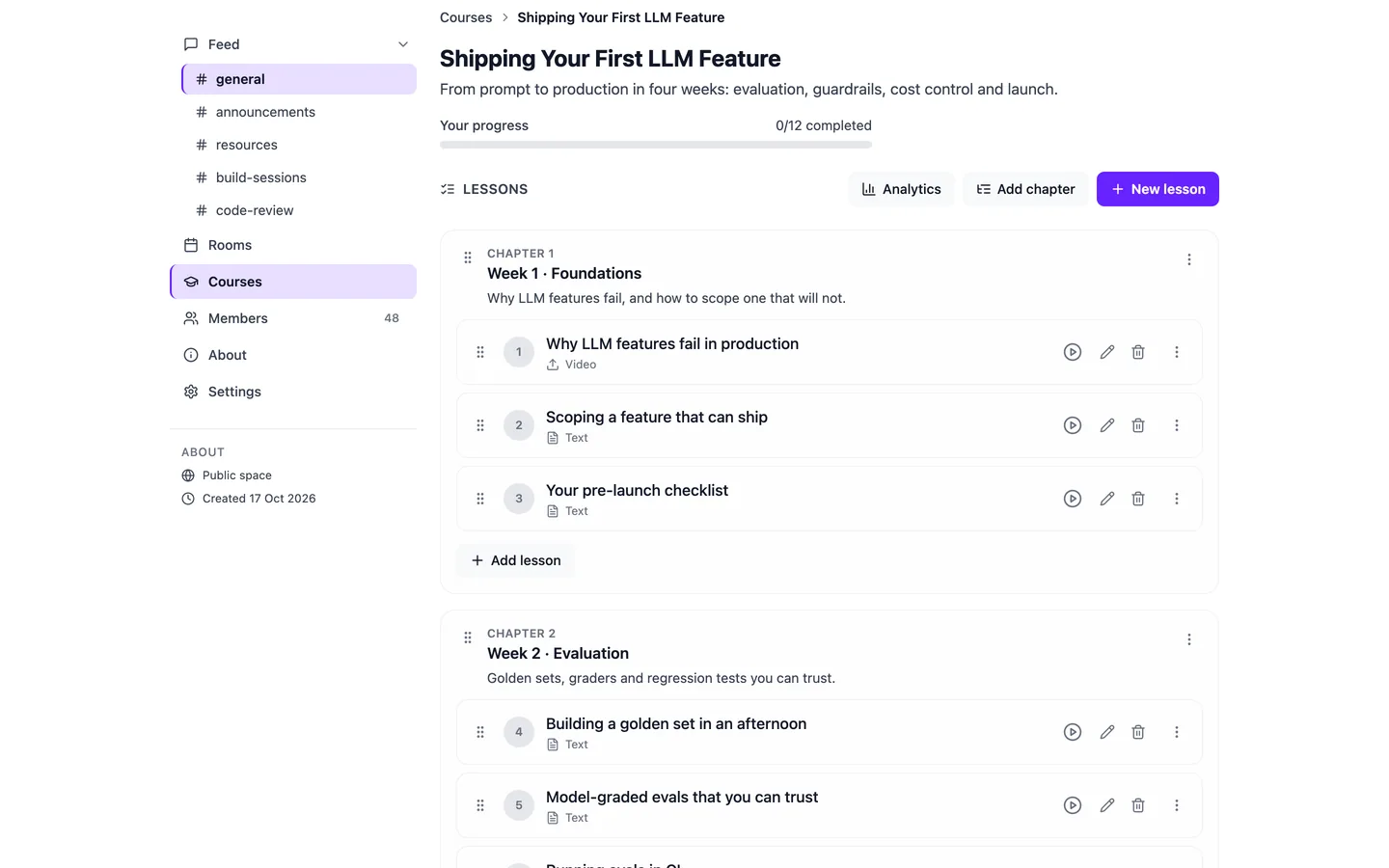
Lessons in order. Progress you can see.
Turn the material that lived in Drive into courses inside the cohort's community, then see who's keeping up before anyone drops out.
From a folder of PDFs to a course they finish.
- Programs, courses, chapters and lessons, dragged into order
- Video uploads or YouTube and Vimeo lessons by link
- Lock each lesson until the previous one is done
- Chapter quizzes, a final exam and an evaluation rolling out
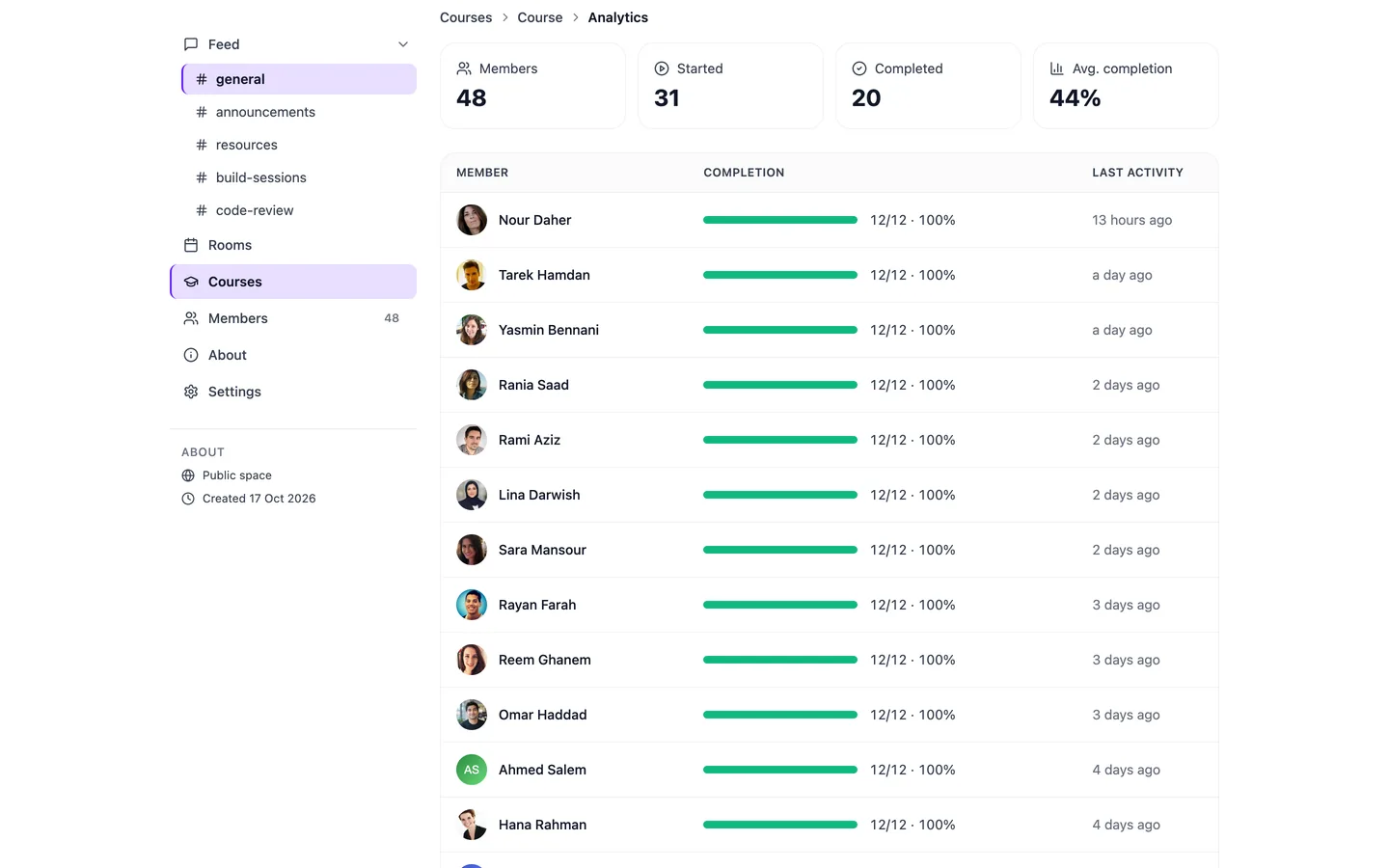
See every learner's progress at a glance.
Course analytics show who started, who finished and when each person was last active. Export it for your report.
A community that outlives the last session.
Give each cohort its own channel and every graduate a seat in the alumni channel. The next kickoff, the next mentor round and the next job post land where they already are.
- Cohort channels and an alumni channel, with announcement-only posts
- Bulk-add everyone from a past session as members
- Rooms, replays and the member directory in the same place
Start free. Pay when the program does.
Free to start
Communities, live sessions and courses. A 15% fee only on payments you take.
Paid plans from
More hosting time and attendees, and a 10% fee on payments.
Community plan
Everything above, plus speed networking rooms for mentor rounds.
Prices in USD. Programs with an agenda, check-in and program certificates run on the white-label platform today. See full pricing
Before your next cohort.
Running a funded or grant-backed program? See White label for nonprofits.
Can I run a program with an agenda on the free plan?
How is attendance counted?
What do certificates look like, and can they be checked?
Do mentors need to pay or sign up for a plan?
Can participants use it in Arabic?
A network that stays.
Open a community for your next cohort today, invite your first mentors and run the kickoff on video. It's free to start.
Running this for an organization? Book a demo