

Your members joined to meet each other. Let them.
Channels, events, courses and paid membership in one home, plus one-to-one video rounds that turn a member list into people who know each other.




Two kinds of community builders arrive here.
Some have a big group that barely talks. Some pay for software that still feels empty. Both want members who show up.
You have the members, not the conversation.
A large Facebook group or WhatsApp community full of people you can barely reach. Give them a place with structure: channels, events, courses, and rounds where they meet.
- Posts the algorithm hidesA feed every member sees
- One noisy threadChannels, roles and events
- A free group earning nothingA membership that pays
You have the platform, not the pulse.
You pay monthly for forum software and still do the engagement by hand. Bring live sessions and member networking into the same place your members already post.
- A static forumLive rooms inside the community
- Introductions by handMatched one-to-one rounds
- A cost centreA community that pays for itself
Your community platform today: the duct-tape edition.
- Hosting the groupFacebook GroupsThe algorithm decides who sees your posts, and the members belong to the platform, not to you.
- Daily conversationWhatsApp or TelegramOne endless thread where announcements drown, files vanish and new members are lost.
- Running eventsTicketing + a call linkRegistration in one tool, the session in another, and attendees never come back to the group.
- Collecting duesPayment links + a sheetChasing renewals by hand, with no idea who paid and who slipped away.
- Member learningShared drivesResources scattered in folders nobody opens, with no order and no tracking.
- Member-to-member connectionHope.Members join to meet each other, but nothing in the stack introduces them.
Give your members more than an algorithm and a group chat.
BrainsMingle gives a community structure, live rooms, courses and dues in one home, and the one thing a group chat can't do: put two members face to face.
Introduce members to each other. All of them.
Run a speed networking room for your community. Members are matched one-to-one on video for short rounds, and nobody meets the same person twice.
- You set the lengthRounds from 3 to 15 minutes, with an optional group intro and outro.
- Pair by roleMentors with mentees, founders with investors, or anyone with anyone.
- Everyone they met is savedA summary at the end, and each person lands in their connections.
- Make it a habitRepeat the room daily, weekly, every other week or monthly.


What brought you to this community?
Hosting speed networking rooms is on the Community plan.
Channels instead of one endless thread.
Announcements stop drowning in chat. New members can see where to start, and moderators you trust share the work.
- Default channels, plus your ownGeneral, announcements, resources, and anything your members need.
- Announcement-only channelsOnly admins post, everyone reads.
- Unread counts and pinsMembers see what's new; pin to a channel or the whole community.
- RolesAdmins, moderators and members, with requests you can approve.
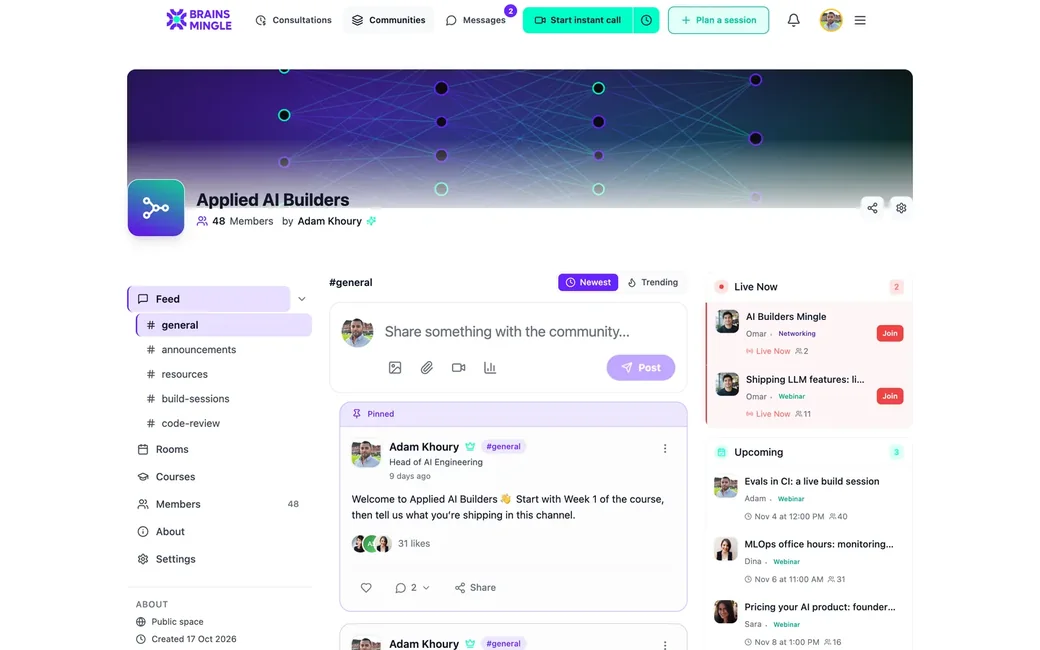
A community: channels, rooms, courses and members in one sidebar.
Decide who gets in.
Pick how people join, and add a join form with suggested fields so you know who's walking in.
- Auto-approveAnyone can join straight away.
- Decide by answersRules on your form approve or reject each request.
- Require approvalYou review every request yourself.
Moving people over? Invite by email, or bulk-add everyone from a past event.
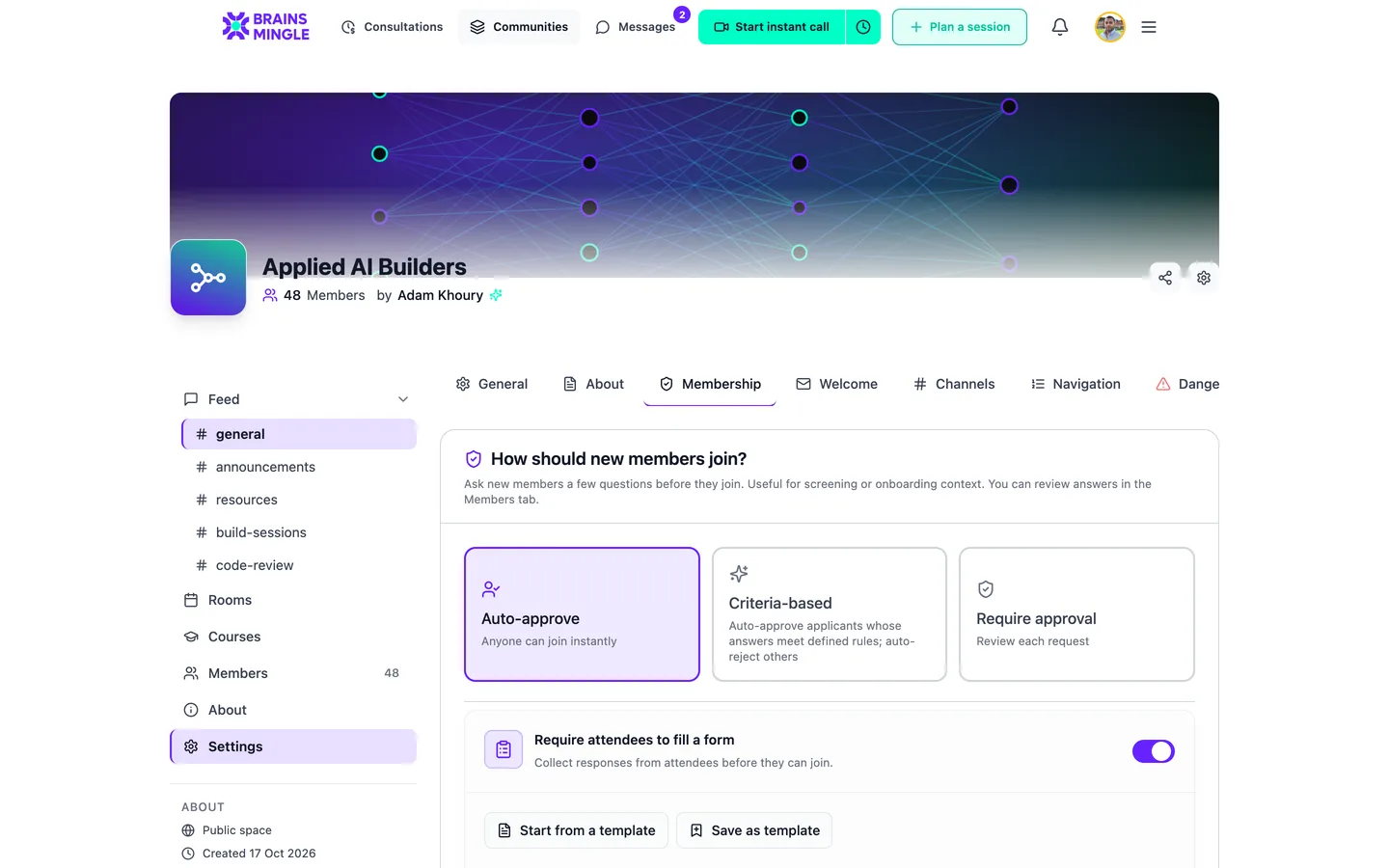
Three ways in, set from the community's Membership settings.
Events and courses live in the community.
No link out to another site. The session, the replay and the course sit one tab away from the conversation.
Host the AMA where the members already are.
- A Rooms tab with what's upcoming and what's past
- Webinars, workshops and group calls with polls and Q&A
- Replays only your community can watch
Turn what members keep asking into a course.
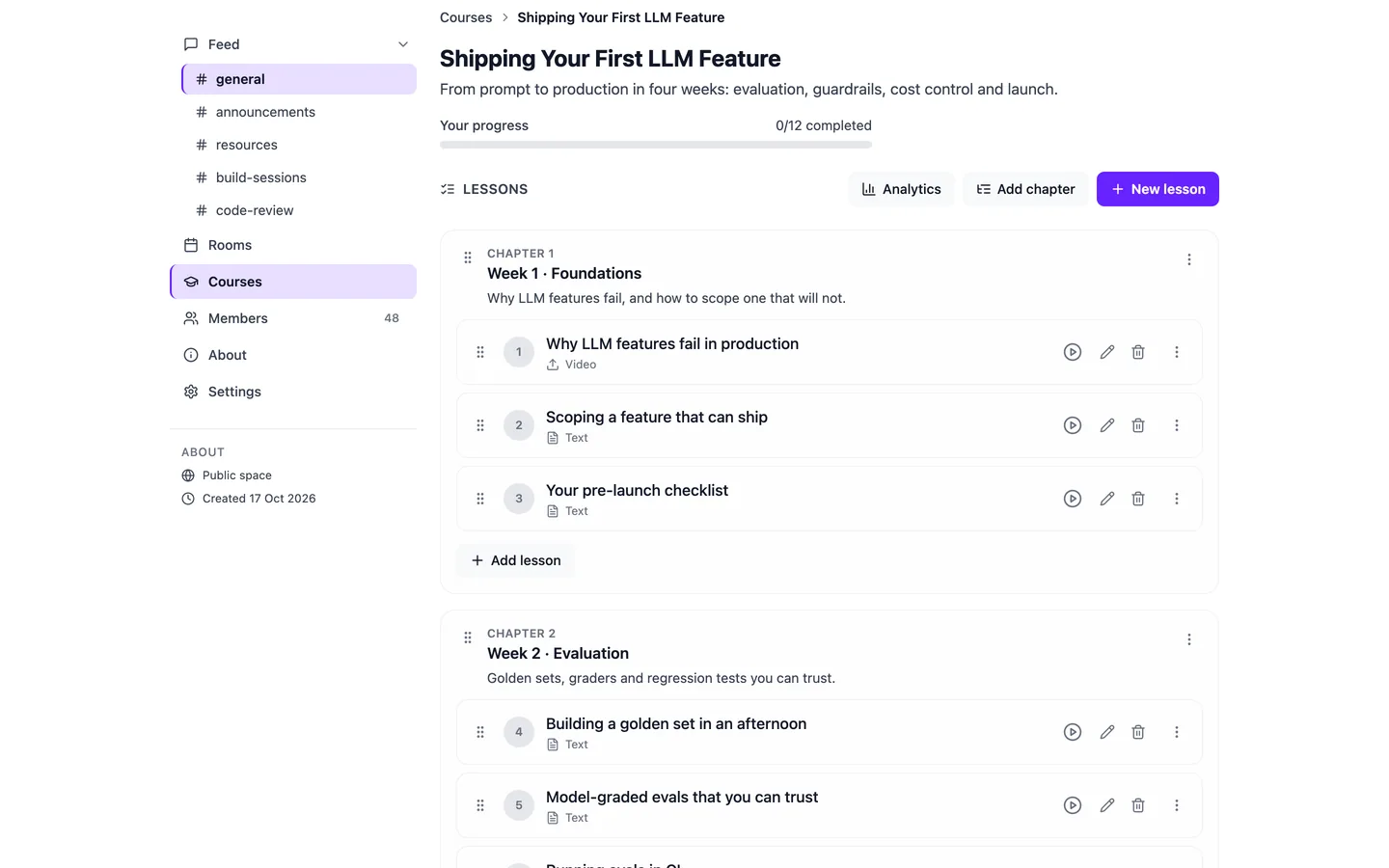
Lessons in order, progress saved, and a certificate anyone can verify.
Let the community pay for itself.
Charge for membership and stop chasing renewals. Members pay inside the community, and the money goes to your own Stripe account.
- Monthly, yearly or one-time, in USD or EGP
- A grace period when a payment lapses, three days by default
- A welcome email for every new member
- Codes for scholarships or founding members; a 100% code makes it free
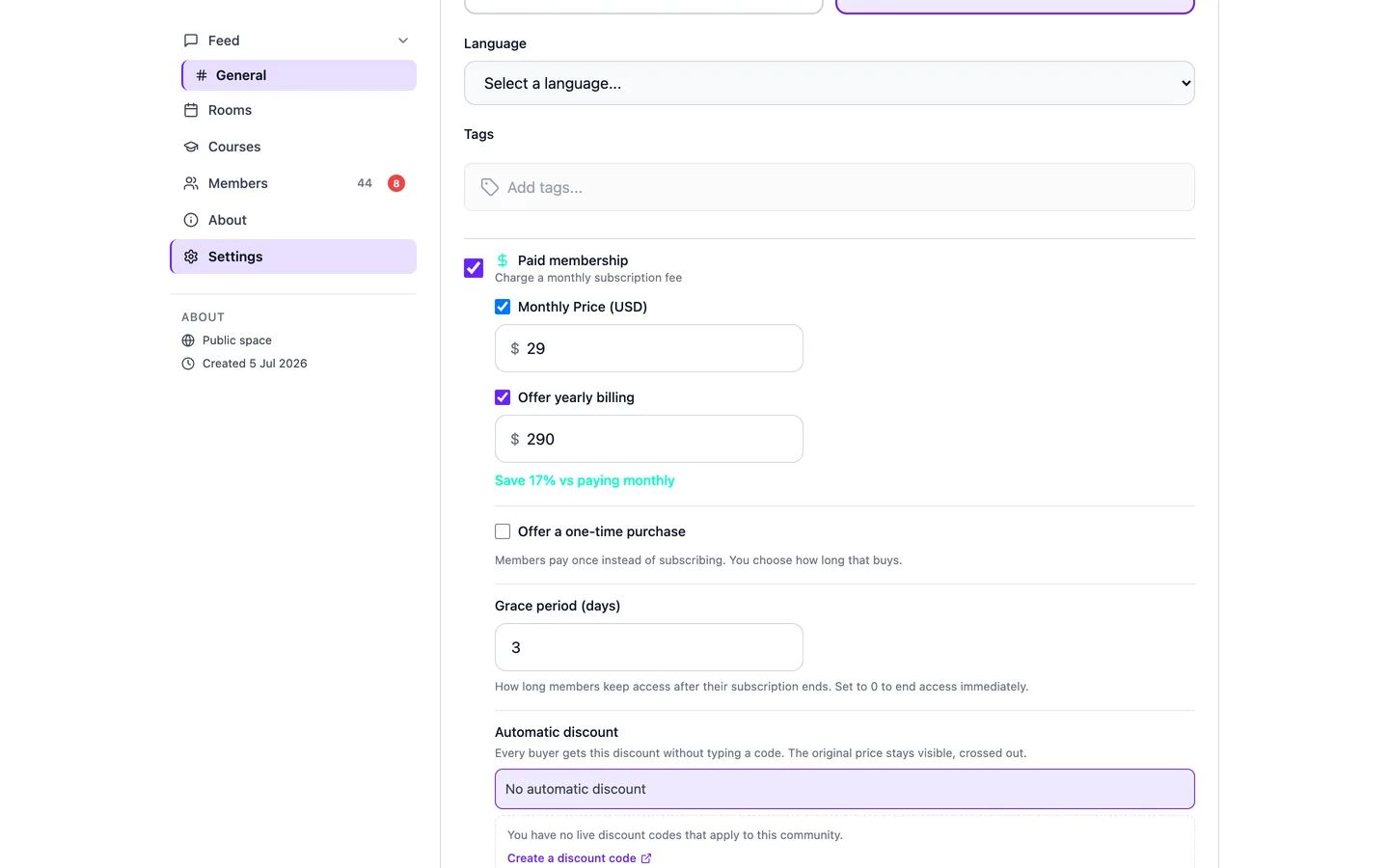
Paid membership, switched on in community settings: monthly, yearly, and a grace period.
Communities meeting on BrainsMingle.
Real spaces, run by their own builders. Open one to see how they use channels, rooms and courses.
Start at zero. Keep more as you grow.
Open a free community today. Upgrade when you start charging, or when you want members meeting one-to-one.
Free to start
A community with channels, rooms and courses. A 15% fee only on payments you take.
Paid plans from
More hosting for your community.
Community plan
Everything above, plus speed networking rooms for your members.
Prices in USD. Hosting speed networking rooms is on the Community plan; members join them free. See full pricing
Before you move your members.
Running an association or professional network? See White label for associations.
My members are fine on WhatsApp. Why move?
Moving people is hard. How do I get them in?
Does speed networking need a big community?
Can I charge for membership?
Can my community use it in Arabic?
A community that meets.
Open your community, invite your first members and run your first round. It's free to start.
Running this for an organization? Book a demo